Apple TV 4K Review: Compared to Shield Pro and Sony

Affiliate disclosure: Some links on this page are affiliate links. If you buy through them we earn a small commission at no extra cost to you. Recommendations are research-driven; we don't claim personal use of every product reviewed. Product prices and availability are accurate as of the date published and are subject to change. Always check Amazon for current pricing before purchasing. Learn more.
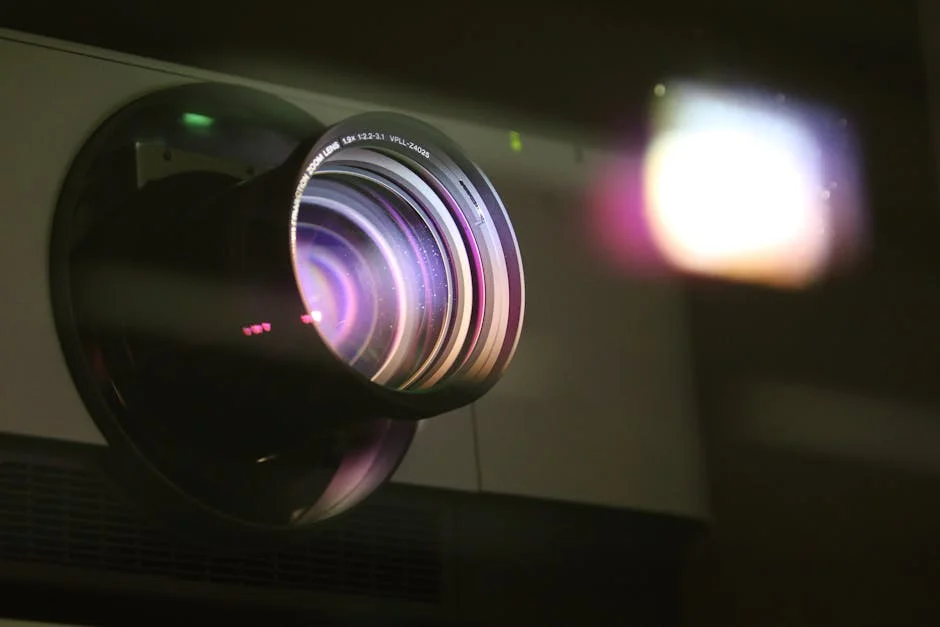
The Apple TV 4K sits in the sources rack alongside an Nvidia Shield Pro and a Sony UBP-X800M2 in this room, so the comparison context is live and specific. What follows is an honest account of where the Apple TV ecosystem earns its place, where it falls short, and which generation or accessory makes sense for a dedicated home theater setup.
The Players & Sources category rewards specificity — a device that excels at Netflix and Apple TV+ is not automatically the right answer for a Plex-heavy library or an Atmos passthrough chain. The distinctions matter, and this review addresses them directly.
Quick Verdict
The Apple TV 4K is the strongest streaming-first source device for rooms built around iTunes purchases, Apple TV+, and tight ecosystem integration with iOS. Dolby Vision and Atmos passthrough are both present and reliable. The interface is fast, the remote is genuinely good, and the app ecosystem covers every major streaming service.
What the Apple TV is not: the right call for Plex power users, Kodi setups, or anyone prioritizing local network media over subscriptions. The Nvidia Shield Pro holds that ground convincingly. And for the ceiling on picture quality, a Sony UBP-X800M2 playing a well-mastered 4K Blu-ray still outperforms any streaming source — a point worth stating plainly before the streaming-device discussion proceeds further.
The renewed second-generation unit is the value case here. The current-generation remote sold separately extends usability on older hardware. Both are worth understanding clearly.
Key Specs
Apple TV 4K (2nd Generation, 2021):
- Chip: A12 Bionic
- Storage: 32GB or 64GB
- HDR: Dolby Vision, HDR10, HLG
- Audio passthrough: Dolby Atmos, Dolby Digital Plus, Dolby Digital 5.1, DTS 5.1
- Connectivity: HDMI 2.0, Wi-Fi 5 (802.11ax on some configurations), Bluetooth 5.0
- Output: Up to 4K 60fps
Apple TV HD (Apple TV 4K HD 32GB listing):
- Chip: A8
- Storage: 32GB
- HDR: No 4K output — 1080p maximum; Dolby Vision not supported
- Audio: Dolby Digital Plus, Dolby Atmos passthrough (service-dependent)
- Connectivity: HDMI 1.4, Wi-Fi 5, Bluetooth 4.2
Apple TV Siri Remote (3rd Generation):
- Touchpad with clickpad ring
- Siri voice search
- Compatible with Apple TV HD and Apple TV 4K (2nd gen and later)
Performance
Streaming Picture Quality
The second-generation Apple TV 4K handles Dolby Vision reliably across Netflix, Disney+, and Apple TV+. On a calibrated display, the tone mapping behavior is sensible — it doesn’t aggressively clip highlights the way some Android TV devices can. Owner reports on AVS Forum consistently cite stable Dolby Vision delivery without the metadata handshake issues that plagued some earlier firmware versions.
Frame rate matching works as expected: the unit switches the display to 24fps for film content, which matters for judder-free playback on projectors running native 24Hz modes. That behavior is not automatic on every competing device without digging through settings.
Atmos passthrough via Dolby Digital Plus is present, but it is not lossless. Apple TV 4K does not output TrueHD bitstream — the Atmos track is delivered as Dolby Digital Plus with Atmos metadata. Most receivers and soundbars decode this acceptably, but it is categorically different from the lossless TrueHD Atmos a disc player delivers. The Denon AVR-X3700H decodes it without complaint, but the display label will read “Dolby Atmos” whether the source is DD+ Atmos or TrueHD Atmos — the two are not equivalent.
App Ecosystem and Interface
The tvOS interface is fast and consistent. App load times are short. The App Store has every major streaming service — Netflix, Disney+, Max, Paramount+, Peacock, Prime Video, Apple TV+, YouTube. AirPlay integration with iOS is seamless and genuinely useful for mirroring content from a phone to the theater screen without a separate input switch.
What it does not have is a functional Plex or Kodi experience comparable to the Shield Pro. The Plex app on tvOS works for straightforward library browsing, but local network transcoding, hardware acceleration behavior, and advanced library management lag behind the Shield Pro’s implementation. If Plex or Kodi is the primary use case, the Apple TV is the wrong device. That’s not an opinion — it’s the consistent verdict from the Plex community forums and AVS Forum threads over multiple tvOS generations.
The Apple TV HD Clarification
The Apple TV HD listing appearing in this roundup warrants a direct note: this unit outputs 1080p maximum. It does not support 4K, and it does not support Dolby Vision. It supports Dolby Digital Plus and service-dependent Atmos, but at HD resolution only. For a dedicated home theater room with a 4K display or a 4K projector, this unit is not fit for purpose. The listing exists in this category, and it would be a mistake to purchase it for a 4K setup without recognizing that limitation explicitly.
Physical Media Comparison
Streaming has not caught up to 4K Blu-ray. A well-mastered disc at full bitrate — Sony’s 4K release of Once Upon a Time in Hollywood, or Paramount’s Top Gun: Maverick — delivers more picture information than any current streaming encode of the same title. The Apple TV is an excellent streaming device. That is its ceiling, and it is a real ceiling. The Sony UBP-X800M2 occupies a different role in this rack for that reason.
Pros and Cons
Apple TV 4K (2nd Gen, Renewed) — Strengths: Dolby Vision and HDR10 support with reliable metadata delivery. Fast A12 Bionic chip with snappy interface performance. Strong app ecosystem covering every major streaming service. Frame rate matching for 24fps content. AirPlay integration with iOS ecosystem.
Apple TV 4K (2nd Gen, Renewed) — Weaknesses: Atmos passthrough is DD+ only — no TrueHD bitstream. No Plex or Kodi parity with Nvidia Shield Pro. No 4K Blu-ray playback. Renewed units carry condition variability.
Apple TV HD (32GB) — Strengths: Lowest entry cost in the Apple TV lineup. Covers standard streaming in 1080p. Atmos passthrough present on supported services.
Apple TV HD (32GB) — Weaknesses: No 4K output. No Dolby Vision. A8 chip shows age against current streaming demands. Not appropriate for a 4K theater room as the primary source.
Siri Remote (3rd Gen) — Strengths: Clickpad ring corrects the directional ambiguity of the second-generation touch surface. Physical volume and mute buttons with HDMI-CEC control. Siri voice search is responsive and useful.
Siri Remote (3rd Gen) — Weaknesses: Battery charges via Lightning (not USB-C on most units). Small form factor increases risk of loss in dark theater environments.
Who It’s For
The second-generation Apple TV 4K renewed unit is the right call for a specific buyer: someone already in the Apple ecosystem, primarily streaming from subscription services, and running a display or projector that benefits from reliable Dolby Vision delivery. It handles the mainstream use case well — Marvel content on Disney+ in Dolby Vision with DD+ Atmos, or Apple TV+ originals in 4K HDR — with minimal configuration friction.
It is not the right answer for the Plex-first buyer. It is not a substitute for a disc player in a room where picture quality ceiling matters. And it is not a justifiable primary source for a 4K setup in place of the Apple TV HD, which is a 1080p device.
The Siri Remote upgrade makes sense for anyone running an older Apple TV unit whose original remote has worn controls or whose clickpad behavior has degraded. The 3rd-generation remote’s clickpad ring is a genuine functional improvement over the 2nd-generation surface.
If the primary use case is a mixed setup — some streaming, some Plex, some physical media — the more honest answer is: keep the Apple TV 4K for streaming and iTunes library access, run the Shield Pro for Plex, and put a disc player in the chain for films where picture quality is the standard.
Buying Guide
Understanding HDR Format Support
Not all HDR is equal, and not all Apple TV models support all formats. Dolby Vision requires the 4K models — the Apple TV HD outputs HDR10 only, and only in 1080p. For a projector or display running Dolby Vision, that distinction is non-negotiable. HDR10 is the baseline; Dolby Vision adds dynamic metadata that adjusts tone mapping on a scene-by-scene basis. The performance difference on a calibrated display is visible. Match the device to the display’s HDR capability before purchasing.
Atmos Passthrough — What the Spec Actually Means
Apple TV 4K passes Atmos metadata via Dolby Digital Plus, not TrueHD. The receiver will display “Dolby Atmos” regardless. What it will not receive is the lossless audio track a Blu-ray player delivers. For most rooms — and most listeners — the DD+ Atmos stream is fully satisfying. For a room where lossless audio passthrough is a priority, the disc player remains the correct source for that content. Understanding this prevents post-purchase frustration when the receiver readout doesn’t clarify the distinction.
Renewed Units — Condition Expectations
Renewed Apple TV units come in varying condition grades. Amazon Renewed listings typically include a 90-day guarantee, but cosmetic condition and included accessories vary. For a device that lives in a rack and isn’t handled frequently, renewed is a reasonable option. Confirm that the remote is included — some renewed listings substitute a third-party remote or omit it. If the original remote is absent or degraded, the Apple TV Siri Remote (3rd Generation) is the correct replacement and a functional upgrade.
Plex and Local Media Users
The Apple TV’s Plex app functions for basic library playback. It does not match the Shield Pro for transcoding control, hardware acceleration, or advanced library management. If the library includes high-bitrate MKV files, Dolby Vision profile 7 content, or complex audio formats requiring server-side transcoding, the Shield Pro is the correct device. The Apple TV belongs in the streaming role for this audience — not as the primary local media player. Reviewing the full Players & Sources lineup before committing to a single device saves a return.
Generation Matching
The Apple TV HD (2nd gen chip) is a 2015-era device in renewed form. The A8 chip still handles standard 1080p streaming, but some apps have begun dropping support for older tvOS versions that the A8 is limited to. For a theater room with a long replacement horizon, the second-generation Apple TV 4K (A12 Bionic) is the appropriate floor — it will remain supported by tvOS longer and handles the full 4K HDR pipeline.
Frequently Asked Questions
Does the Apple TV 4K support lossless Dolby Atmos audio?
The Apple TV 4K passes Dolby Atmos via Dolby Digital Plus, which carries Atmos object metadata but is a lossy compressed format. It does not output a TrueHD Atmos bitstream, which is what a 4K Blu-ray player delivers to the receiver. The distinction matters in high-resolution audio setups but is inaudible to most listeners under normal viewing conditions. Receivers decode both as “Dolby Atmos,” so the display readout alone does not confirm which format is active.
Is the Apple TV HD (32GB) worth buying for a 4K home theater?
No. The Apple TV HD outputs a maximum of 1080p and does not support Dolby Vision or 4K HDR. For a room with a 4K projector or display, this device is not appropriate as a primary source. It functions in a secondary room running a 1080p display, but in a dedicated 4K theater setup, the Apple 2021 Apple TV 4K 64GB is the minimum entry point worth considering.
How does the Apple TV 4K compare to the Nvidia Shield Pro for Plex users?
The Nvidia Shield Pro is the stronger device for Plex-heavy setups. It offers better hardware transcoding support, native Kodi compatibility, and more consistent performance with high-bitrate local library files. The Apple TV 4K’s Plex app handles basic streaming library playback adequately, but power users managing large local libraries with complex audio formats will hit its limits. If the primary use case is Plex, the Shield Pro is the correct choice regardless of Apple ecosystem preference.
What does the Siri Remote (3rd Generation) improve over the previous version?
The 3rd-generation Siri Remote introduces a clickpad ring around the touch surface, which restores directional navigation clarity that the 2nd-generation version lacked. It also adds dedicated mute and back buttons. The physical volume buttons control HDMI-CEC-connected devices, which simplifies theater control without a universal remote. The Apple TV Siri Remote (3rd Generation) is a practical upgrade for anyone running an older Apple TV unit with a worn or imprecise original remote.
Does streaming quality on the Apple TV 4K match 4K Blu-ray?
It does not. A well-mastered 4K Blu-ray delivers higher sustained bitrates and lossless audio than any current streaming service — the gap is measurable and visible on a calibrated 4K display or projector. The Apple TV 4K is an excellent streaming device, but its picture quality ceiling is defined by streaming compression. For titles where image quality is the primary standard, a disc player remains the correct source alongside any streaming device.
Apple 2021 Apple TV 4K 64GB - Black (2nd Generation) (Renewed): Pros & Cons
Where to Buy
Apple 2021 Apple TV 4K 64GB - Black (2nd Generation) (Renewed)See Apple 2021 Apple TV 4K 64GB - Black (… on Amazon