Apple TV vs Shield vs Roku: Which Streamer Fits Your Needs

Affiliate disclosure: Some links on this page are affiliate links. If you buy through them we earn a small commission at no extra cost to you. Recommendations are research-driven; we don't claim personal use of every product reviewed. Product prices and availability are accurate as of the date published and are subject to change. Always check Amazon for current pricing before purchasing. Learn more.
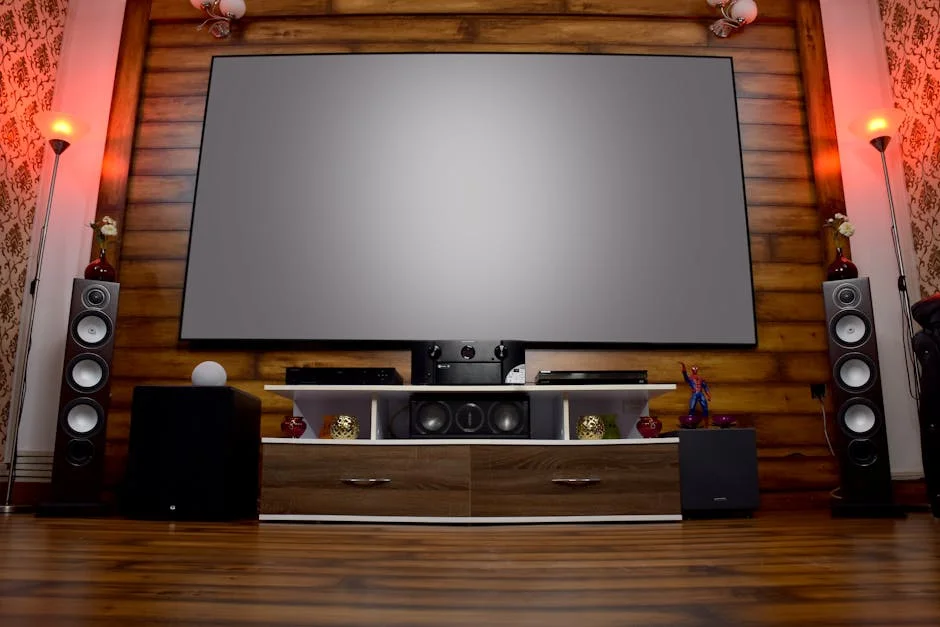
Choosing a streaming device sounds simple until you realize the cheap sticks and the mid-tier boxes behave very differently in a real home theater setup. The Players & Sources category is crowded enough that a small spec difference — Wi-Fi 6 instead of Wi-Fi 5, Dolby Atmos passthrough versus stereo downmix — can determine whether a device belongs in a dedicated theater room or on a guest bedroom TV.
These five devices span two ecosystems and three price bands. The evaluation below draws on spec documentation, verified buyer feedback, and AVS Forum consensus — not personal daily use of each unit, but the collective field knowledge of owners running these devices in real rooms.
Side-by-Side
Before going deeper on individual picks, the basic spec separation matters. The Roku Streaming Stick HD tops out at 1080p. Every other device here does 4K. Dolby Vision support appears on the Roku Ultra, Express 4K+, and Ultra LT (2023), but not on the Stick HD. Atmos passthrough is present on the Ultra and Express 4K+ but requires the right AVR chain to land correctly — the device passes the codec, your receiver decodes it. The Fire TV Stick 4K Select adds an Alexa layer that Roku devices don’t replicate natively.
| Device | Max Resolution | Dolby Vision | Atmos Passthrough | Wi-Fi | |, |, |, |, |, | | Streaming Stick HD | 1080p | No | No | Wi-Fi 5 | | Roku Ultra | 4K | Yes | Yes | Wi-Fi 6 | | Express 4K+ | 4K | Yes | Yes | Wi-Fi 5 | | Roku Ultra LT (2023) | 4K | Yes | Yes | Wi-Fi 5 | | Fire TV Stick 4K Select | 4K | Yes | Yes | Wi-Fi 6 |
Key Differences
Resolution and HDR Ceiling
The Streaming Stick HD’s 1080p ceiling is its defining constraint. For a secondary TV in a room where a 4K panel isn’t the priority, that’s acceptable. For a home theater setup with a 4K projector or display, it’s a disqualifier — the device simply cannot deliver the native resolution the panel is capable of rendering.
Among the 4K devices, HDR format coverage separates the tiers. The Roku Ultra and Express 4K+ both support HDR10, HDR10+, and Dolby Vision — the three formats you’re likely to encounter across Netflix, Disney+, and Vudu. The Ultra LT (2023) carries the same HDR stack. The Fire TV Stick 4K Select covers Dolby Vision and HDR10+ as well. No meaningful gap there across the four 4K-capable devices.
Audio Codec Passthrough
Atmos passthrough is present on the Roku Ultra, Express 4K+, Ultra LT (2023), and Fire TV Stick 4K Select — but “passthrough” means the device sends a bitstream to the AVR rather than decoding internally. Whether your receiver unwraps it as full object-based Atmos depends on the receiver’s decoding capability. A Denon AVR-X3700H or similar handles it without issue. A budget two-channel receiver won’t. The device is not the bottleneck; the downstream chain is.
The Streaming Stick HD passes stereo and Dolby Digital, not Atmos. That’s a hard limitation for anyone running a surround setup.
Connectivity and Local Network Performance
The Roku Ultra’s Wi-Fi 6 support is the most consequential connectivity upgrade in this group for busy home networks. On a network with multiple 4K streams running simultaneously, Wi-Fi 6 reduces contention. The Express 4K+ and Ultra LT (2023) run Wi-Fi 5, which is adequate for most single-device streaming situations but will show buffering in congested environments.
The Ultra LT (2023) adds a physical Ethernet port — uncommon at this price band. For a dedicated theater room with a structured network run, wired is always preferable to wireless for streaming stability. The Ultra also includes Ethernet. The Stick HD and Express 4K+ are wireless only.
Platform Ecosystem: Roku vs Fire TV
Roku and Fire TV are the two dominant streaming OS platforms below Apple’s and Google’s price tier. Roku’s interface is app-neutral — it doesn’t surface Amazon or any other provider’s content preferentially. Fire TV’s interface is organized around Amazon Prime Video, which creates subtle friction when you’re navigating to non-Amazon apps.
For Plex and Kodi users: neither Roku nor Fire TV is the optimal choice. Kodi runs on Fire TV via sideloading, but owner consensus on AVS Forum is that the Nvidia Shield Pro remains the reference platform for local media playback and Plex server duties. If local media is a primary use case, none of the five devices here should be the endpoint.
Top Picks
Roku Streaming Stick HD
The Roku Streaming Stick HD earns a narrow recommendation for one specific scenario: a secondary TV that caps out at 1080p and doesn’t feed an AVR. Guest bedrooms, kitchens, and office monitors running at 1080p or below don’t need 4K passthrough, Dolby Vision, or Atmos. The Streaming Stick HD covers all major streaming apps on the Roku platform, runs quietly, and doesn’t require much setup.
Outside that scenario, the resolution ceiling is a real problem. A 4K panel paired with this device is receiving a 1080p signal and upscaling it — that’s the TV doing work the source should have done. The Express 4K+ exists at a modest premium and eliminates this problem entirely. For any room with a 4K display, the Stick HD is not the right call.
Check current price on Amazon.
Roku Ultra
The Roku Ultra is the most fully specified device in this group. Wi-Fi 6, Dolby Vision, HDR10+, Atmos passthrough, Ethernet, and a rechargeable remote with backlit buttons — it addresses every checkbox a home theater buyer is likely to have. Verified buyers consistently note the remote’s build quality as a meaningful upgrade over standard Roku remotes, and the Wi-Fi 6 radio is a tangible advantage in multi-device households.
For a dedicated theater room, the Ethernet port matters more than any wireless spec. Running a cable eliminates the buffering variable entirely. AVS Forum consensus among Roku users points to the Ultra as the ceiling of the platform — there’s no higher-tier Roku device to upgrade to. The Roku interface remains app-neutral and loads quickly.
One honest caveat: Roku OS pushes ad content on the home screen, and no setting removes it entirely. Owner feedback is uniformly critical of this. It doesn’t affect playback quality, but it does affect the interface experience. Whether that’s a dealbreaker depends on how much time you spend at the home screen versus inside an app.
Check current price on Amazon.
Express 4K+
The Roku Express 4K+ is the midpoint that most buyers in this category actually need. Dolby Vision, HDR10+, Atmos passthrough, and 4K output — the full HDR and audio stack — at a budget price band. It lacks Wi-Fi 6 and the rechargeable remote, but for a single-device household with a solid Wi-Fi 5 signal, the absence of Wi-Fi 6 is not a real-world limitation.
The Express 4K+ is the correct answer for buyers who need 4K HDR capability in a bedroom or secondary room and don’t want to invest more than necessary. Verified buyers regularly cite its setup speed and compatibility with existing TVs as strengths. The remote is simpler than the Ultra’s but functional. For rooms where the device is set-and-forgotten rather than regularly adjusted, the simpler remote is fine.
Check current price on Amazon.
Roku Ultra LT (2023)
The Roku Ultra LT (2023) sits between the Express 4K+ and the current Ultra. It carries 4K, Dolby Vision, HDR10+, Atmos passthrough, and an Ethernet port — the wired connection option that the Express 4K+ lacks. The remote includes headphone jack support for private listening, which Roku calls Private Listening. For a partner watching late at night while someone sleeps nearby, that’s a practical differentiator.
The Wi-Fi spec is 5, not 6, which puts it below the current Ultra on paper. In most household environments the performance gap won’t be perceptible. The more relevant upgrade from this model to the current Ultra is the remote (rechargeable vs. standard batteries) and the Wi-Fi 6 radio. Buyers who have already run Ethernet to their theater room and don’t need Wi-Fi 6 will find this device covers all the performance bases at a slightly lower price band than the current Ultra.
Check current price on Amazon.
Amazon Fire TV Stick 4K Select
The Amazon Fire TV Stick 4K Select is the strongest alternative to the Roku lineup for buyers already embedded in the Amazon ecosystem. Dolby Vision, HDR10+, Atmos passthrough, Wi-Fi 6, and AI-powered search via Alexa+ — the spec sheet matches or exceeds the Roku Ultra LT (2023) on connectivity while adding voice control depth that Roku’s voice remote doesn’t replicate.
The Alexa integration is a genuine advantage if the household already uses Echo devices or relies on Alexa routines. The Fire TV OS’s bias toward Prime Video is the persistent trade-off. Verified buyers who use multiple non-Amazon streaming services report that navigating away from Prime Video-first content rows adds friction over time. If Prime Video is your primary service, the interface is well-optimized for that workflow. If it isn’t, the Roku OS’s neutral approach to app layout is more comfortable to live with daily.
Check current price on Amazon.
Who Should Buy Which
The Streaming Stick HD belongs in a room with a 1080p TV and no AVR. Period. The moment there’s a 4K panel or a surround sound system in the chain, another device is the right choice.
The Express 4K+ is the default recommendation for most buyers — 4K, full HDR stack, Atmos passthrough, budget price band. It doesn’t do anything wrong for its target use case.
The Ultra LT (2023) is the right step up when a wired Ethernet connection is available and the buyer wants the Private Listening remote. The Wi-Fi 5 radio is a minor concession relative to the current Ultra that most users won’t notice.
The Roku Ultra is for buyers who want the best-equipped Roku device available, particularly those on congested Wi-Fi 6 networks or who will spend enough time at the home screen to appreciate the rechargeable backlit remote.
The Fire TV Stick 4K Select is the choice for households already in the Amazon ecosystem, particularly those using Alexa routines. It competes directly with the Roku Ultra LT (2023) on specs. The platform choice — Roku OS vs Fire TV OS — ultimately comes down to how central Prime Video is to daily use.
Buying Guide
Matching the Device to the Display
The first sorting question is what the TV or projector can actually do. Pairing a Streaming Stick HD with a 4K OLED is a setup error — the display will receive an upscaled 1080p signal, not native 4K. Before selecting a device, confirm the display’s native resolution and which HDR formats it supports. A TV that supports HDR10 but not Dolby Vision will receive no benefit from a device’s Dolby Vision output — the display is the ceiling, not the source. Resolution and HDR format should match, not exceed, what the panel can render.
Audio Chain Awareness
Atmos passthrough means the streaming device sends a Dolby TrueHD Atmos bitstream to the AVR via HDMI ARC or eARC. The receiver decodes it. If the TV is connected directly to the device with no AVR in the chain, Atmos doesn’t reach speakers — it either converts to stereo or routes through the TV’s internal speakers, neither of which is a home theater outcome. Verify the connection path: device → AVR via HDMI, then AVR → TV via HDMI ARC or eARC. The device’s Atmos spec is irrelevant without a receiver that can decode it. For a full rundown of source-to-receiver connection options, the Players & Sources hub covers the signal chain in more detail.
Wired vs Wireless
Ethernet is available on the Roku Ultra and Ultra LT (2023). For a dedicated theater room with a structured network run, wired is the right choice — it eliminates buffering variables and network contention entirely. Wi-Fi 6 on the Roku Ultra and Fire TV Stick 4K Select improves performance on congested home networks but is not a substitute for a cable. If the theater room has a network drop, use it. If the choice is between Wi-Fi 5 and Wi-Fi 6 with no wired option, the Wi-Fi 6 device handles simultaneous 4K streams more gracefully.
Platform Interface Trade-offs
Roku OS and Fire TV OS are both mature platforms with full streaming app support. The meaningful difference is interface philosophy. Roku’s home screen is organized around apps and content without preferring any provider. Fire TV’s home screen surfaces Amazon Prime Video content prominently, and the recommendation algorithm is weighted toward Amazon content. For a household that uses Prime Video as a primary service, this is a feature. For households where Prime Video is one of several equal-priority services, the constant Prime promotion is an ongoing friction point. Neither platform supports Kodi natively at a level that satisfies power users — for local media server needs, the Nvidia Shield Pro remains the AVS Forum consensus recommendation.
When a Streaming Device Isn’t the Right Answer
This is worth stating plainly. Streaming, even at its technical ceiling — Dolby Vision, Atmos, full HDR — does not match a well-mastered 4K Blu-ray disc at full bitrate. Streaming services apply compression. A 4K Blu-ray at 50, 100 Mbps delivers more picture information than any streaming tier currently available. If picture quality is the primary metric for a home theater build, a disc player belongs in the source chain alongside or instead of a streaming stick. The Sony UBP-X800M2 or a comparable player handles physical media in a way no streaming device can replicate. A streaming stick is a convenience layer, not a reference source.
Verdict
For most buyers in this group, the Roku Express 4K+ is the right device — 4K, full HDR stack, Atmos passthrough, budget price band, and the app-neutral Roku OS. It doesn’t overcomplicate the purchase.
The Roku Ultra earns its position for buyers who want wired connectivity, Wi-Fi 6, and the better remote — the full set of upgrades over the Express 4K+. The Ultra LT (2023) is a reasonable alternative when Ethernet is already available and the budget doesn’t stretch to the current Ultra.
The Fire TV Stick 4K Select is the correct choice for Amazon ecosystem households. On raw specs it competes with the Roku Ultra LT (2023) directly. The platform choice is the deciding variable.
The Streaming Stick HD serves a 1080p secondary room. Nothing more.
One last note for anyone who arrived here from a “Apple TV vs Shield vs Roku” search: the Apple TV 4K and Nvidia Shield Pro are different category devices — higher-tier hardware, higher price bands, with use cases that don’t overlap much with the budget-to-mid-tier Roku and Fire TV devices covered here. The Shield Pro is the reference platform for Plex server and Kodi users. The Apple TV 4K is the strongest choice for households in the Apple ecosystem. Neither belongs in the same purchasing decision as a budget Roku stick. For a fuller look at what’s available across the entire source device category, the streaming device section of Players & Sources covers the higher tiers as well.
Frequently Asked Questions
Is the Roku Express 4K+ good enough for a dedicated home theater, or do I need the Ultra?
The Express 4K+ handles 4K, Dolby Vision, HDR10+, and Atmos passthrough — the same HDR and audio stack as the Ultra. What it lacks is Wi-Fi 6, a rechargeable remote, and an Ethernet port. For a theater room with a wired network drop, the Ultra LT (2023) is the step up worth considering. For wireless setups on uncongested networks, the Express 4K+ performs equivalently at the display level.
Does Atmos passthrough work through a streaming stick if my AVR supports Atmos?
Yes, provided the signal path is correct. The device must connect to the AVR via HDMI, and the AVR must connect to the TV via HDMI ARC or eARC. If the streaming stick connects directly to the TV without an AVR in the chain, the TV handles audio — and most TVs decode Atmos to stereo or a limited virtual format. The Roku Ultra and Express 4K+ both pass a full Atmos bitstream when connected correctly.
Should I buy the Fire TV Stick 4K Select or the Roku Ultra LT (2023)?
These two devices are spec-comparable — 4K, Dolby Vision, Atmos passthrough, and Wi-Fi 6 on the Fire TV versus Ethernet on the Ultra LT. The decision is a platform question. If Amazon Prime Video is your household’s primary streaming service and you use Alexa routinely, the Fire TV Stick 4K Select is the better fit. If you want an app-neutral interface and a wired connection option, the Roku Ultra LT (2023) is the stronger choice.
Can the Roku Streaming Stick HD work on a 4K TV?
It will connect and display an image, but the signal will be 1080p, not 4K. The TV will upscale it to fill the 4K panel, but upscaling is not native 4K — fine detail, HDR tone mapping, and Dolby Vision are all absent. For a 4K TV, the Roku Express 4K+ is the minimum device that makes sense, and it carries only a modest premium over the Stick HD.
Is any of these devices a good choice for Plex or local media playback?
Plex client apps exist on both Roku and Fire TV, and they work adequately for remote streaming of a Plex server. Kodi does not run natively on Roku. Kodi can be sideloaded on Fire TV, but owner consensus on AVS Forum is that neither platform delivers the local media experience the Nvidia Shield Pro does. If Plex server hosting or full Kodi functionality is the primary use case, none of these five devices is the right endpoint.
Where to Buy
Roku Streaming Stick HD — HD Streaming Device for TV with Roku Voice Remote, Free & Live TVSee Streaming Stick HD — HD Streaming Dev… on Amazon