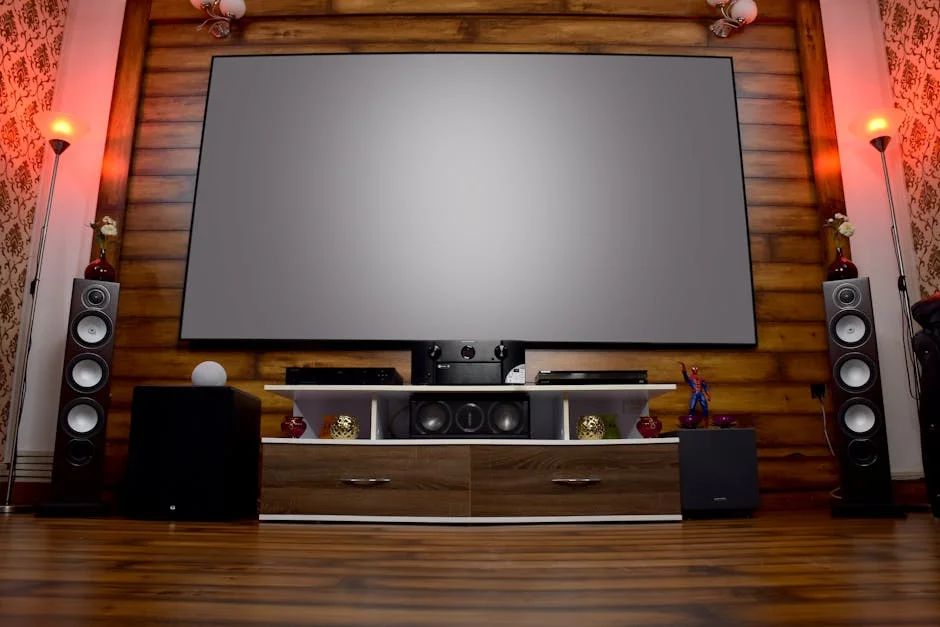
BenQ HT2050A Review: Finding the Right Successor

Affiliate disclosure: Some links on this page are affiliate links. If you buy through them we earn a small commission at no extra cost to you. Recommendations are research-driven; we don't claim personal use of every product reviewed. Product prices and availability are accurate as of the date published and are subject to change. Always check Amazon for current pricing before purchasing. Learn more.
The BenQ HT2050A earned a loyal following among entry-level home theater buyers for delivering credible cinema performance at an accessible price point. That projector is discontinued, and buyers searching for it today are really asking a different question: what fills that gap now, and is the current BenQ lineup still the right answer? The projector category has moved quickly enough that the honest answer requires context.
This review covers the BenQ TH575 as the closest current successor, the replacement lamp that keeps older HT2050A units running, and a monitor that surfaces repeatedly in the same BenQ buyer research path. Three different purchase decisions, one buyer profile.
Quick Verdict
The BenQ TH575 is a competent 1080p lamp projector aimed at buyers who want a large image in a room they can darken reasonably well. It is not a 4K projector. It does not have laser longevity. Buyers comparing it to the Epson 4010 tier are looking at a fundamentally different class of machine — the TH575 is a starting point, not a ceiling.
If an existing HT2050A is running dim or flickering, a replacement lamp is the most cost-effective path forward before committing to a full projector upgrade. The Araca OEM lamp addresses that need directly.
The BenQ GW2790Q monitor appears in the same BenQ research pipeline but belongs to a separate purchase decision entirely — covered here because buyer confusion between projector and monitor upgrades is real and worth addressing directly.
Key Specs
BenQ TH575
- Native resolution: 1920×1080 (1080p)
- Brightness: 3,800 ANSI lumens
- Light source: Lamp (not laser)
- Contrast ratio: 15,000:1 (native spec)
- Throw ratio: 1.47, 1.62 (standard throw)
- Input lag: 16.7ms in Game Mode
- HDR support: HDR10 (tone-mapped to SDR panel)
- Zoom: 1.1x optical
- Lamp life: 4,000 hours (Normal mode) / 10,000 hours (SmartEco mode)
Araca 5J.JEE05.001 Replacement Lamp
- Compatibility: BenQ HT2050, HT2050A, HT2150ST, HT3050, W1110, W1210ST, W2000, W2000+
- OEM original bulb in aftermarket housing
- Rated life: matches OEM specification
BenQ GW2790Q
- Panel: 27-inch IPS, 2560×1440 (QHD)
- Refresh rate: 100Hz
- Connectivity: HDMI, DisplayPort
- Features: Eye-care, Low Blue Light Plus, Brightness Intelligence Gen2
Performance
BenQ TH575
The BenQ TH575 positions itself as an entry-level 1080p projector with enough lumen output to handle semi-dark living rooms. At 3,800 ANSI lumens, the spec is generous for this tier — owner reports generally confirm that Eco mode produces a watchable image in rooms with controlled ambient light, and the full brightness mode gives it a reserve for environments that aren’t fully darkened.
Native resolution is 1080p. There is no pixel-shifting or 4K enhancement here. Buyers coming from Epson’s 4K-enhanced lineup should calibrate expectations accordingly — the TH575 is a sharper 1080p image, not a 4K competitor. For content shot and mastered at 1080p, the difference is less consequential. For 4K Blu-ray playback where fine detail in highlights matters, it is.
HDR10 is supported in the sense that the projector accepts an HDR signal and applies tone mapping to its SDR panel. This is standard behavior at this price band — it does not produce HDR performance in the visual sense. Verified buyers note that the Game Mode input lag of 16.7ms is accurate and meaningful for gaming use cases, and that the auto vertical keystone works reliably for imperfect shelf or table placements.
The lamp light source is the most significant long-term consideration. Four thousand hours in Normal mode is roughly two to four years of regular home use depending on session length. At the end of lamp life, the projector requires a replacement bulb rather than a simple tube swap. Laser projectors at higher price bands eliminate this maintenance cycle entirely — relevant context for buyers projecting total cost of ownership over five or more years.
Projector Central’s measurements and throw calculator are the reference point for room-fit calculations. The TH575’s standard throw ratio of 1.47, 1.62 means a 100-inch image at 1080p requires approximately 11.5 to 12.7 feet of throw distance — workable in most living rooms and nearly every dedicated theater space.
Check current price on Amazon.
Araca 5J.JEE05.001 OEM Original Replacement Lamp
The Araca 5J.JEE05.001 is the replacement path for owners of the BenQ HT2050, HT2050A, HT2150ST, HT3050, and W-series projectors running on degraded or failed lamps. The OEM original bulb in an aftermarket housing is the important distinction here — this is not a generic lamp clone, which matters for light output consistency and rated lifespan alignment.
Owners searching the HT2050A review space are frequently in one of two situations: the projector is dim and the lamp needs replacing, or they are evaluating whether to replace the lamp or upgrade the unit entirely. The lamp replacement case is straightforward if the projector is otherwise functional — the cost difference between a replacement lamp and a new entry-level projector is significant, and a refreshed lamp in a working HT2050A produces known, predictable performance in a room already calibrated for it.
The upgrade case requires honest accounting. A lamp replacement extends the HT2050A’s functional life but does not add 4K, laser longevity, or improved HDR processing. Buyers who have outgrown 1080p lamp projection — or who want to eliminate the maintenance cycle — are better served by evaluating current laser models. For everyone else, this lamp is the right call.
Check current price on Amazon.
BenQ GW2790Q 27” QHD Monitor
The BenQ GW2790Q appears in the same BenQ research pipeline as the projectors, and buyer confusion between these two purchase categories is worth addressing directly. This is a 27-inch desktop IPS monitor. It does not replace a projector. The two serve different use cases, different viewing distances, and different room configurations.
That said, the GW2790Q is a legitimate mid-range monitor for buyers who need a desk display alongside or instead of a projector setup. The 2560×1440 resolution at 27 inches produces a sharp pixel density for productivity and media consumption at normal desktop distances. The 100Hz refresh rate is competitive for this class. Brightness Intelligence Gen2 and Low Blue Light Plus are BenQ’s eye-care stack — useful for long work sessions, less relevant for movie nights.
The monitor belongs in this review because some buyers searching for BenQ display recommendations are working through a genuine hybrid setup question: projector for the main room, monitor for the desk. That is a reasonable configuration. The GW2790Q is a credible answer to the monitor side of that equation, but it should be evaluated on its own merits as a desktop display, not as a projector alternative.
Check current price on Amazon.
Buying Guide
Light Source: Lamp vs. Laser
The single most consequential decision in entry-level projector buying is light source type, and most buyers in this tier default to lamp projectors because the upfront price is lower. Lamp projectors require bulb replacements every 4,000 to 10,000 hours depending on mode. Laser projectors — beginning at a higher price band — are rated to 20,000+ hours with no maintenance cycle. Over a five-year ownership horizon, the total cost difference narrows considerably when lamp replacements are factored in. Buyers who want to set and forget are looking at laser. Buyers who are comfortable with occasional maintenance and want to spend less upfront are looking at lamp.
Throw Distance and Room Fit
Standard throw projectors — including the TH575 — need roughly 1.5 feet of throw distance for every foot of image width. A 100-inch diagonal 16:9 image is approximately 87 inches wide, which puts the throw requirement at 11 to 12.5 feet for most 1.47, 1.62 throw ratio units. Measure the usable throw distance in the room before buying. Short-throw projectors compress this requirement significantly but carry their own trade-offs in off-axis image quality and placement flexibility. Projector Central’s throw distance calculator is the reference tool — use actual room measurements, not estimates.
Screen Selection and Why It Matters More Than Most Buyers Expect
The screen matters as much as the projector. An average projector on an excellent screen produces a better image than an excellent projector on a bare white wall or a basic pull-down. Most buyers reverse this priority because the projector is the primary purchase and the screen feels like an accessory. It is not. Gain, ambient light rejection, and surface uniformity all affect the perceived image quality more than most spec comparisons suggest. For dark rooms, a unity-gain matte white screen is the standard recommendation. For rooms with ambient light, ALR (ambient light rejecting) screens recover contrast at the cost of a narrower viewing cone. The projectors hub covers screen pairing options in more detail — the short version is to budget for the screen before committing to a projector tier.
1080p vs. 4K: Where the Line Actually Is
At normal home theater viewing distances — 1.5 to 2 times the screen width — the resolving limit of human vision means that a sharp 1080p image and a 4K image can be indistinguishable on screens under 100 inches. At 120 inches and beyond, and at shorter seating distances, the difference becomes perceptible. Buyers considering the TH575 for a 90-inch image at 10 feet will likely find 1080p adequate. Buyers targeting a 120-inch screen with front-row seating at 8 to 10 feet will notice the ceiling of a 1080p system. The Epson 4010 tier — 4K-enhanced LCD with significantly better color volume and HDR handling — addresses that gap but at a substantial price step up.
HDR in Lamp Projectors: Accurate Framing
HDR10 compatibility in entry-level lamp projectors means the unit accepts an HDR signal and applies tone mapping. It does not produce the extended dynamic range visible on a properly calibrated OLED or laser projector. The peak brightness of most lamp projectors in this tier — even at 3,800 lumens — falls short of the 1,000 nits typically cited for HDR impact. Owner consensus on AVS Forum is that disabling HDR at the source and feeding these projectors a well-graded SDR signal often produces a more watchable image than letting the projector attempt HDR tone mapping. Worth testing both configurations before committing to a picture mode.
Who It’s For
The BenQ TH575 is for buyers who want a large 1080p image in a room they can darken, are comfortable with lamp maintenance over time, and are not trying to replicate a 4K laser theater experience. It is a reasonable starting point for a first projector setup, particularly for gaming applications where the 16.7ms Game Mode latency is a meaningful advantage at this price band.
The Araca replacement lamp is for HT2050A and related model owners who have a functioning projector with a degraded light source and want to extend its useful life rather than replace the unit.
The GW2790Q is for buyers who need a capable 27-inch QHD desktop monitor — assessed independently of any projector decision.
None of these products is the right answer for a buyer building a dedicated reference theater. For that configuration, the projector conversation starts at the Epson 4010 tier and the screen conversation starts at dedicated cinema surfaces. The full range of options at both levels is covered in the home projector buying guide.
Frequently Asked Questions
Is the BenQ TH575 a true replacement for the HT2050A?
The TH575 covers similar ground — 1080p lamp projection at an accessible price band — but it is not a direct spec-for-spec successor. The HT2050A had stronger color accuracy and a broader color gamut for cinema use. The TH575 leans harder into gaming features with its 16.7ms Game Mode. For buyers whose primary use is movies in a darkened room, the HT2050A’s profile was arguably better suited.
How long does the BenQ HT2050A lamp last, and when should it be replaced?
BenQ rates the HT2050A lamp at approximately 4,000 hours in Normal mode and 6,000 hours in SmartEco mode. In practice, noticeable brightness degradation typically begins around 3,000 to 3,500 hours. The projector’s on-screen menu tracks lamp hours — replace the lamp when the image becomes visibly dim relative to its original output, or when the projector displays a lamp warning indicator. Continuing to run a degraded lamp risks lamp failure and potential housing damage.
Does the BenQ TH575 support 4K content?
The TH575 is a native 1080p projector. It accepts a 4K HDMI signal and downscales it to 1080p for display. HDR10 signals are accepted and tone-mapped, but the projector cannot render 4K resolution or produce meaningful HDR dynamic range — its peak brightness and panel type are not suited to it. For 4K Blu-ray playback with visible resolution and HDR improvement, buyers need to step up to a 4K-capable projector such as the Epson 4010 class or current laser alternatives.
Can the BenQ GW2790Q be used as a secondary display alongside a projector setup?
Yes, and it is a common configuration for home theater builders who also work from home. The projector handles the main screen for movies and gaming from the couch; the monitor handles the desk workstation. The GW2790Q’s QHD resolution and 100Hz refresh rate make it a capable everyday display for that role. The two devices serve entirely separate use cases and share only the BenQ brand — treat them as independent purchasing decisions.
What throw distance does the BenQ TH575 need for a 100-inch screen?
At a throw ratio of 1.47 to 1.62, the TH575 needs approximately 11.5 to 12.7 feet of throw distance for a 100-inch diagonal 16:9 image. The exact figure depends on zoom position and room geometry. Projector Central’s throw distance calculator is the most reliable tool for this — enter your room dimensions and target screen size to find the projector placement range before purchasing. Ceiling mount height and lens offset should also be factored in for permanent installations.
BenQ TH575 1080p Indoor Gaming Projector, 3800 LMS, 16.7ms Low Latency, Enhanced Game-Mode, High Contrast, Dual HDMI, 3D Ready, Auto Vertical Keystone, Standard Throw, 1.1x Zoom, 3 Year Warranty: Pros & Cons
Where to Buy
BenQ TH575 1080p Indoor Gaming Projector, 3800 LMS, 16.7ms Low Latency, Enhanced Game-Mode, High Contrast, Dual HDMI, 3D Ready, Auto Vertical Keystone, Standard Throw, 1.1x Zoom, 3 Year WarrantySee BenQ TH575 1080p Indoor Gaming Projec… on Amazon