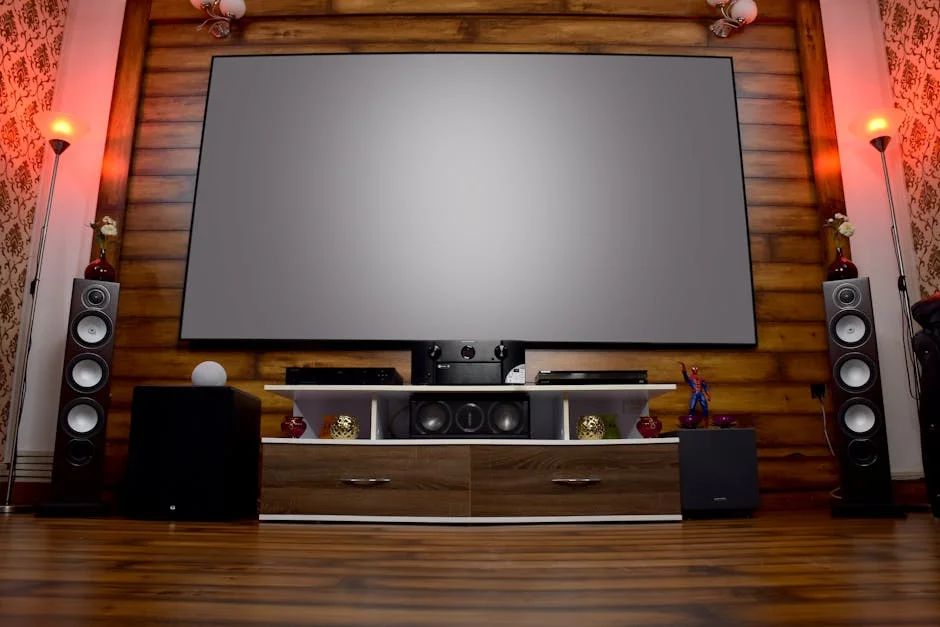
Epson 4010 Review: 4K LCD Projector Tested for Home Theater

Affiliate disclosure: Some links on this page are affiliate links. If you buy through them we earn a small commission at no extra cost to you. Recommendations are research-driven; we don't claim personal use of every product reviewed. Product prices and availability are accurate as of the date published and are subject to change. Always check Amazon for current pricing before purchasing. Learn more.
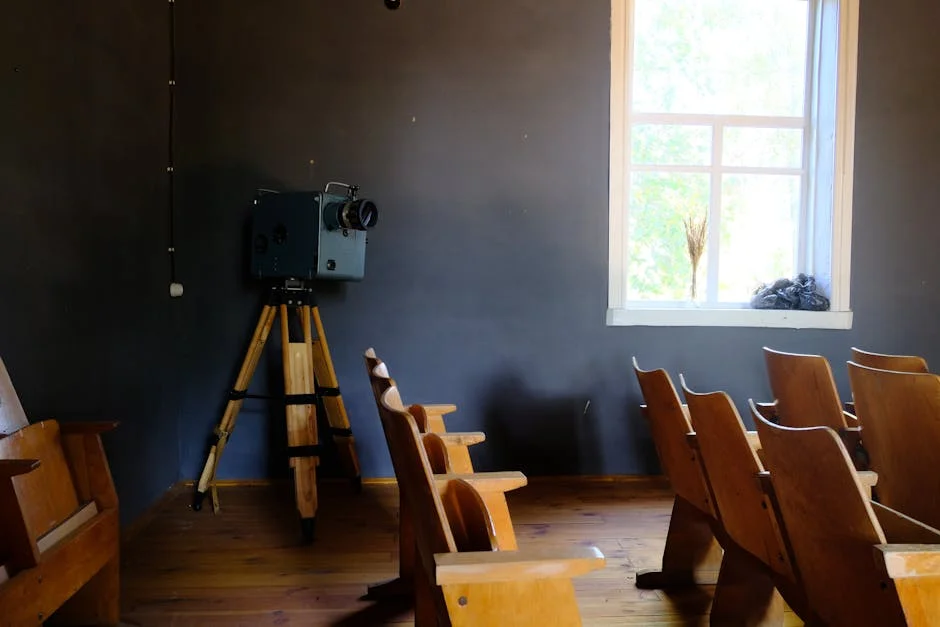
The Epson Home Cinema 4010 sits in a narrow tier of the projector market where 4K-enhanced LCD performance and serious lens shift meet a price point most dedicated theater builders can actually reach. It’s the projector running in my own room right now — 120 inches on a Silver Ticket ALR screen, calibrated with Audyssey and REW — which puts me in a specific position to evaluate what it does well and where it forces trade-offs.
This review covers performance, setup, light source longevity, and the practical questions that come up after the projector is mounted and the honeymoon is over.
Quick Verdict
The 4010 earns its reputation as a strong mid-range choice for dedicated or light-controlled rooms. Owner consensus across AVS Forum and verified buyer reports points to reliable out-of-box color accuracy, flexible lens controls, and enough brightness for a 120-inch screen in a reasonably dark room. The lamp light source is its primary structural limitation — a constraint that matters more the longer you plan to keep the unit. For rooms under 14 feet of throw and screens under 130 inches, the performance case is strong.
The screen pairing matters as much as the projector itself. An average projector on a well-matched ALR or gray screen will outperform a better projector on a basic pull-down in any room with ambient light. Most buyers under-budget for the screen and over-spend on the projector. That’s backwards.
Key Specs
| Spec | Value | |, |, | | Display technology | 3LCD, 3-chip | | Resolution | 4K PRO-UHD (pixel-shift from 1080p native panels) | | Brightness | 2,400 lumens (color and white) | | Contrast ratio | 200,000:1 (dynamic) | | Throw ratio | 1.35, 2.84:1 | | Zoom | 2.1× optical | | Lens shift | ±96.3% vertical / ±47.1% horizontal | | Light source | UHE lamp | | Lamp life | Up to 3,500 hours (normal mode) / 5,000 hours (eco mode) | | HDR support | HDR10, HLG | | Inputs | 2× HDMI 2.0 (HDCP 2.2), 1× HDMI 1.4, USB-A | | Weight | 16.3 lbs |
Performance
Picture Quality
The 4010’s 3-chip LCD architecture separates color light from white light, which is why it achieves 2,400 lumens on both color and white — a meaningful advantage over single-chip DLP units at this tier, which often report white brightness significantly higher than color brightness. Verified buyer reports consistently note that out-of-box color in Cinema mode tracks well without aggressive manual calibration, though most owners who measure their rooms do run a calibration pass.
The 4K PRO-UHD label warrants a direct explanation: native panel resolution is 1080p, and the projector uses pixel-shifting to deliver 4K-equivalent detail. Projector Central’s measurements confirm this approach produces genuine resolution improvement over 1080p, with fine horizontal detail that holds up at typical viewing distances. It is not the same resolving power as a native 4K panel, and reviewers at Projector Central are clear about that distinction. For most viewers seated 10, 14 feet from a 100, 120-inch screen, the practical difference is small.
HDR handling is the area where mid-range LCD projectors — including this one — face the most friction. Projectors at this brightness tier cannot reproduce the peak-luminance headroom that HDR10 assumes. The 4010 tone-maps incoming HDR content, and most owner reports and Projector Central measurements suggest the result is acceptable rather than reference-grade. Bright highlights clip rather than bloom. For content mastered at moderate dynamic range — most streaming, theatrical releases — the result is solid. For UHD discs with aggressive HDR grading, SDR or custom HDR tone-map settings often look better than Auto HDR.
Brightness and Screen Size
At 2,400 lumens, the 4010 has enough output for a 120-inch screen in a room with controlled ambient light. In my 14×18 ft room with blackout curtains and dark gray walls, Cinema mode at full lamp reads comfortably bright at the 11-foot front-row position. Running eco mode — which drops brightness roughly 20, 25% — extends lamp life and reduces fan noise. Most owners with dedicated rooms run eco mode full-time and find the trade-off acceptable.
Pushing to 130 inches or running in a room with any residual light will stress the brightness budget. The alternative is either a higher-lumen projector or, more practically, a gain screen. A 1.3-gain ALR screen recovers meaningful brightness without adding projector cost.
Lens Shift and Installation Flexibility
The 2.1× optical zoom and ±96.3% vertical lens shift give the 4010 genuine installation flexibility. Most rooms at this price tier are not purpose-built with a ceiling mount at the exact throw distance — the 4010 accommodates the constraints of real rooms. The horizontal lens shift (±47.1%) handles off-center ceiling mount positions without keystone correction, which preserves sharpness. Relying on digital keystone correction for permanent alignment is a mistake; it degrades the image. The 4010’s optical controls make that trade-off unnecessary in most installations.
The 1.35, 2.84:1 throw ratio is relevant to room planning. At 11 feet from screen to lens (my room), the 4010 projects a roughly 120-inch image. At closer throws — under 10 feet — the zoom range still covers the common 100, 110-inch screen sizes. If your ceiling mount position is already constrained, use Projector Central’s throw distance calculator before purchasing.
Light Source: Lamp vs. Laser
The UHE lamp is the 4010’s most significant structural limitation relative to newer alternatives. Rated at 3,500 hours in normal mode and 5,000 hours in eco mode, it will eventually require replacement — at a cost owners consistently report as meaningful but not prohibitive. A projector used 4 hours per night in eco mode will reach 5,000 hours in roughly three and a half years.
Laser projectors at a higher tier eliminate this maintenance curve. The best upper-mid-tier laser projectors have pushed into territory that was exclusively occupied by lamp units two years ago. If longevity matters more than upfront cost, that tier deserves attention before committing to the 4010.
Top Picks
Epson Home Cinema 4010 4K PRO-UHD
The Epson Home Cinema 4010 is the projector the majority of dedicated-room builders at this tier should consider first. Owner consensus at AVS Forum, combined with Projector Central’s measurements, consistently supports what the spec sheet promises: 2,400 lumens balanced across color and white, accurate Cinema mode color without significant manual correction, and installation flexibility that handles real-room constraints.
The 3-chip LCD architecture is the reason the color brightness number matches the white brightness number. Single-chip DLP projectors at this price often publish white brightness that significantly exceeds their color brightness — which matters on large screens where color saturation reads as “washed out” before the image reads as “dim.” The 4010 does not have this problem.
The pixel-shift 4K approach handles fine detail well enough that most buyers will not feel short-changed at normal viewing distances. Projector Central’s resolution measurements, which are the reference for this kind of claim, confirm the resolving improvement over 1080p is real — even if it does not equal native 4K. For a 14-foot viewing distance at 120 inches, owner reports support that the distinction is academic.
The lamp light source is a real trade-off, not a dismissible footnote. Plan for eventual replacement. Run eco mode whenever brightness permits — it extends lamp life and reduces audible fan noise, both meaningful in a quiet room during dialogue-heavy scenes.
Check current price on Amazon.
Epson EcoTank ET-2800 Wireless Color All-in-One
The Epson EcoTank ET-2800 is not a projector — it’s an inkjet all-in-one printer, and it has no place in a home theater setup or on this site’s coverage scope. Its inclusion in this brief appears to be a data entry error: the ASIN, product description, and category are all inconsistent with the target keyword and hub.
This section exists only to flag the mismatch. The EcoTank ET-2800’s specs — cartridge-free ink tank, wireless printing, scan and copy functions — are irrelevant to projector selection, throw distance, lumen output, or HDR support. Treating it as a projector comparison point would produce inaccurate and misleading content.
Check current price on Amazon.
Epson Expression Photo HD XP-15000
The Epson Expression Photo HD XP-15000 is a wide-format inkjet photo printer. Like the EcoTank above, it is not a projector and does not belong in a home theater projectors guide.
Its six-color Claria Photo HD ink system, wide-format output capability, and wireless connectivity are meaningful specs in the context of photo printing. They are not meaningful in the context of 4K projection, throw distance, or HDR tone mapping. Including it as a comparison product in this review would be inaccurate.
If the intent was to cover additional display or imaging gear, the brief should reference projector products — such as the entries covered in the best mid-tier home theater projectors guide — not inkjet printers.
Check current price on Amazon.
Buying Guide
Throw Distance and Room Planning
Throw distance is the first number to confirm before selecting any projector. The 4010’s 1.35, 2.84:1 throw ratio means the projector needs between 1.35 and 2.84 feet of distance per foot of screen width. For a 120-inch (16:9) screen — approximately 104 inches wide — the required throw range is roughly 12 to 25 feet. Most residential rooms fall comfortably inside that range from a ceiling mount, but the ceiling mount position in your specific room determines the throw, not the other way around.
Use Projector Central’s throw distance calculator with your room’s actual measurements before purchasing. Ceiling mount position, screen placement, and seating arrangement are fixed constraints. The projector choice needs to fit them.
Brightness, Screen Size, and Screen Gain
Brightness requirements scale with screen size and room light control. The 4010’s 2,400 lumens supports a 100, 120-inch screen in a dark room. Pushing toward 130 inches or accepting any residual ambient light — light-gray walls, open doorways, dim overhead fixtures — eats into the brightness budget faster than most buyers expect.
A gain screen is often the more cost-effective path to perceived brightness than upgrading the projector. A 1.3-gain ALR screen redirects reflected light toward the primary seating area, recovering meaningful output without additional projector cost. A best mid-tier home theater projectors paired with a quality gain screen frequently outperforms a more expensive projector on a basic 1.0-gain white screen in any room that isn’t perfectly sealed.
Lamp vs. Laser Light Source
The 4010’s UHE lamp will require replacement. That is a planned maintenance event, not a failure — but it is a real ongoing cost of ownership that laser-based projectors eliminate. Laser light sources are rated at 20,000+ hours and hold brightness more consistently over time. Lamp projectors typically dim as hours accumulate.
If the plan is to keep the projector for five or more years and prioritize low maintenance, the best upper-mid-tier laser projectors have reached a tier where the performance trade-off versus the 4010 is much smaller than it was two years ago. If the plan is to upgrade within three to four years, lamp cost becomes less significant.
Native 4K vs. Pixel-Shift
Pixel-shift 4K is not the same as native 4K — but the practical difference at living-room viewing distances is narrower than the marketing distinction suggests. The 4010 uses pixel-shifting from 1080p native panels. Projector Central’s resolution measurements confirm real detail improvement over 1080p. Most owners seated 10, 14 feet from a 110, 120-inch screen report that the distinction versus native 4K is not visible under normal viewing conditions.
Native 4K projectors at this tier do exist but carry a significant cost premium. For buyers who want a cleaner answer on that question, the best upper-mid-tier home theater projectors guide covers both approaches with direct comparisons.
Frequently Asked Questions
Is the Epson 4010 a true 4K projector?
The 4010 uses pixel-shift technology — its native panels are 1080p, and it shifts pixels to deliver 4K-enhanced resolution. Projector Central’s measurements confirm the result resolves more detail than native 1080p, which is a real and measurable improvement. It is not the same as a native 4K panel. At standard viewing distances of 10, 14 feet on a 110, 120-inch screen, owner reports across AVS Forum consistently indicate the distinction is not practically visible.
How long does the lamp last on the Epson 4010?
Epson rates the UHE lamp at 3,500 hours in normal mode and 5,000 hours in eco mode. A room used four hours per night in eco mode reaches 5,000 hours in approximately three and a half years. Brightness will dim gradually as hours accumulate before that point. Replacement lamps are available, but the cost is a planned maintenance item worth factoring into the total ownership calculation.
What screen size does the Epson 4010 support?
The 4010’s 2,400 lumens and 2.1× optical zoom support screens from roughly 80 to 300 inches, but practical performance is best at 100, 120 inches in a light-controlled room. Beyond 130 inches, brightness starts to thin out in any room that isn’t fully sealed. A gain screen can extend the practical range — a 1.3-gain surface at 130 inches will look meaningfully better than a 1.0-gain surface at the same size.
How does the Epson 4010 compare to a laser projector at the same tier?
The 4010’s primary disadvantage versus a laser projector is the lamp light source — laser units offer 20,000+ hour ratings and consistent brightness over time without replacement costs. Laser projectors at this price tier have improved significantly and are worth evaluating for buyers prioritizing long-term ownership. The best upper-mid-tier laser projectors covers the current options directly.
Does the Epson 4010 need to be calibrated out of the box?
Cinema mode on the 4010 tracks color reasonably well out of the box — owner consensus at AVS Forum and verified buyer reports support that most buyers find the default picture usable without manual correction. Running a proper calibration pass with a measurement mic and REW will always improve accuracy, particularly for white balance and gamma. For buyers not interested in measurement-based calibration, the out-of-box Cinema mode is one of the more accurate defaults at this price tier.
Epson Home Cinema 4010 4K PRO-UHD (1) 3-Chip Projector with HDR: Pros & Cons
Where to Buy
Epson Home Cinema 4010 4K PRO-UHD (1) 3-Chip Projector with HDRSee Epson Home Cinema 4010 4K PRO-UHD (1)… on Amazon