Projector vs TV: Key Differences for Home Theater

Affiliate disclosure: Some links on this page are affiliate links. If you buy through them we earn a small commission at no extra cost to you. Recommendations are research-driven; we don't claim personal use of every product reviewed. Product prices and availability are accurate as of the date published and are subject to change. Always check Amazon for current pricing before purchasing. Learn more.
Quick Picks
Generic Smart Projector [Bundled with Google TV Stick & 4K Support] with WiFi and Bluetooth, Portable Mini Movie Short Throw Projector Outdoor with Built-in Apps Auto Focus for Home Theater Bedroom Ceiling
Buy on AmazonAurzen Roku TV Smart Projector with Wifi and Bluetooth, Roku Streaming Experience Built-in, 1080P FHD, DoIby Audio, Auto Focus & Keystone, Zoom, Movie Portable Outdoor Mini Projector, White
Buy on AmazonHAPPRUN Official Licensed Google TV Smart Projector, HAPPRUN 4K UHD Home Theater with Dolby Sound, Wi-Fi & Bluetooth, Built-in Streaming Apps, Compatible with Games Consoles & Smartphone, Indoor & Outdoor Use
Buy on Amazon| Product | Price Range | Top Strength | Key Weakness | Buy |
|---|---|---|---|---|
| Generic Smart Projector [Bundled with Google TV Stick & 4K Support] with WiFi and Bluetooth, Portable Mini Movie Short Throw Projector Outdoor with Built-in Apps Auto Focus for Home Theater Bedroom Ceiling also consider | $ | Buy on Amazon | ||
| Aurzen Roku TV Smart Projector with Wifi and Bluetooth, Roku Streaming Experience Built-in, 1080P FHD, DoIby Audio, Auto Focus & Keystone, Zoom, Movie Portable Outdoor Mini Projector, White also consider | $ | Buy on Amazon | ||
| HAPPRUN Official Licensed Google TV Smart Projector, HAPPRUN 4K UHD Home Theater with Dolby Sound, Wi-Fi & Bluetooth, Built-in Streaming Apps, Compatible with Games Consoles & Smartphone, Indoor & Outdoor Use also consider | $ | Buy on Amazon |
Choosing between a projector and a TV is one of the most consequential decisions in any home theater build, and the answer isn’t as obvious as most buying guides make it sound. Room size, ambient light, viewing habits, and budget all pull in different directions before you even open a spec sheet.
If you’re newer to the decision-making process, the Home Cinema Basics hub is a solid starting point for understanding how these variables connect before spending anything.
What It Is: Projector vs TV Defined
The Display Technology Behind Each Option
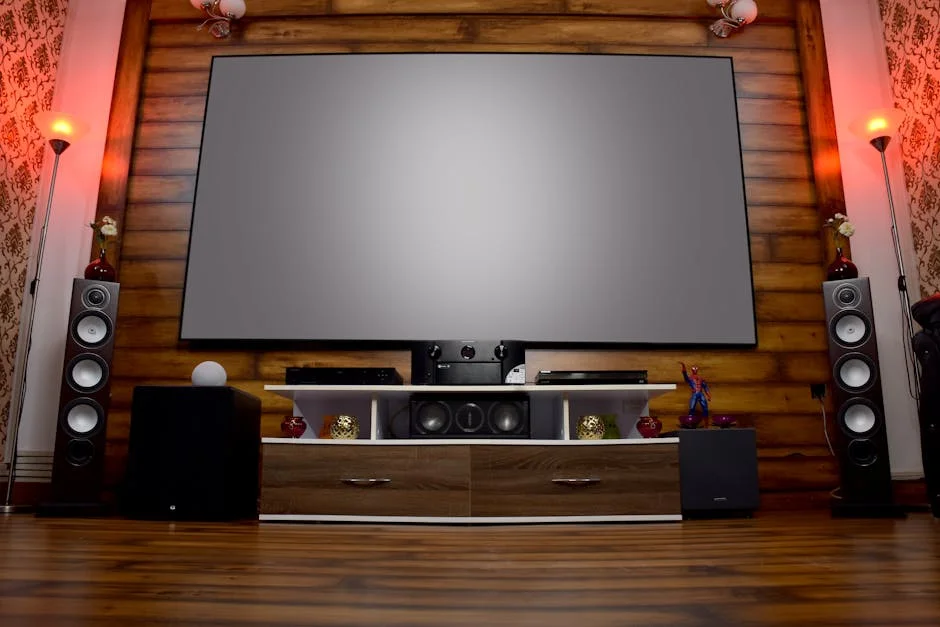
A television is a self-contained display, meaning the light source, panel, and processing all live inside one unit. Modern TVs use either LCD/LED or OLED panel technology. LCD panels use a backlight to illuminate liquid crystal pixels, while OLED panels produce light at the individual pixel level, which is why OLED blacks look so deep. The screen size is fixed at purchase, the brightness is factory-calibrated, and ambient light performance is a known quantity from day one.
A projector works in reverse. It throws light from a lamp, LED, or laser source onto a separate reflective surface, which is usually a dedicated screen or a painted wall. The image size is adjustable, sometimes dramatically so, and the brightness that reaches your eye depends on both the projector’s output (measured in lumens) and how well your surface reflects it. That relationship between the projector, the screen, and the room is what makes projection so flexible and so context-dependent at the same time.
What “Short Throw” and “Smart” Actually Mean
Two terms show up constantly in the projector vs TV conversation and deserve a clear definition before going further. A short throw projector produces a large image from a closer distance than a standard throw projector. The ratio of throw distance to image width, called the throw ratio, determines this. A standard projector might need eight to ten feet to produce a 100-inch image. A short throw unit might achieve the same image from three to five feet. Ultra-short throw (UST) projectors sit inches from the screen or wall and project upward or backward.
“Smart” projector is a marketing term indicating that the unit includes a built-in streaming platform, so you can watch content without plugging in an external media player. Platforms vary. Some use Android TV, some use Google TV, some use Roku OS, and some use proprietary systems. The quality of the smart platform matters considerably for everyday usability, because a slow or poorly updated OS creates friction on every single viewing session.
How It Works: Light, Contrast, and the Room
Brightness and Ambient Light
This is the core technical divide between projectors and TVs. A mid-range LED TV can produce 500 to 700 nits of sustained brightness with ease. High-end TVs can push past 1,500 nits for HDR highlights. Projectors, especially budget and mid-range models, typically produce 200 to 600 lumens of light at the screen after accounting for throw distance and screen gain. That gap matters most in rooms with uncontrolled ambient light.
A projector in a light-controlled room with blackout curtains can produce a cinematic image that no TV can match at equivalent screen sizes. The same projector in a room with afternoon sun through uncovered windows will look washed out and flat. A TV, particularly an OLED or a high-brightness QLED, handles ambient light much more gracefully. If you cannot control your room’s light, a TV is almost always the more practical choice.
Image Size and the Viewing Experience
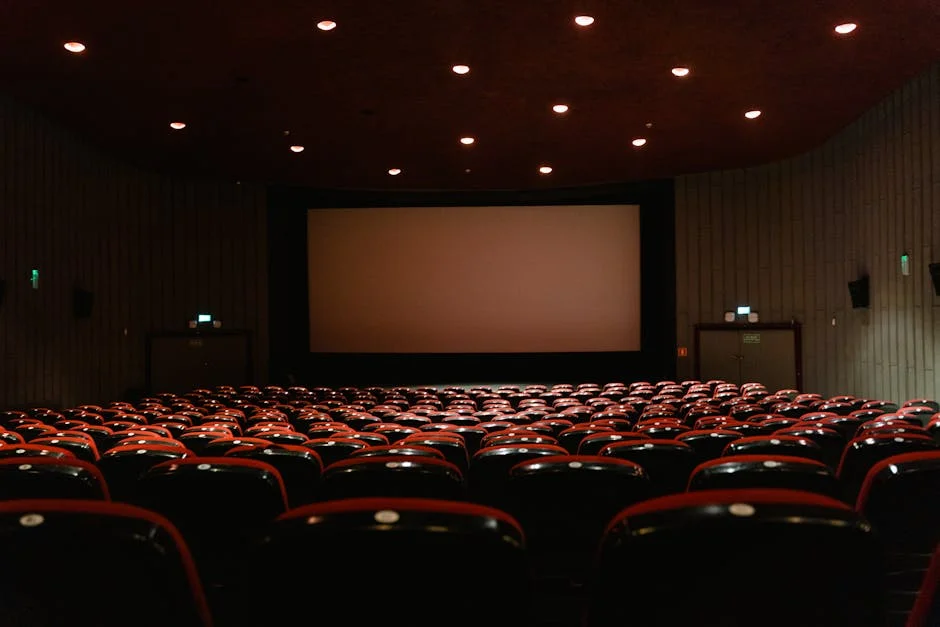
This is where projectors make their strongest case. A 120-inch projected image occupies a fundamentally different place in human visual perception than a 65-inch television. At normal viewing distances, a 120-inch screen fills the peripheral vision in a way that creates physical engagement with the content, not just intellectual engagement. The sense of scale in a film like “Dune” or a live concert broadcast is genuinely different, not just incrementally larger.
TVs have grown in recent years, with 85-inch and 98-inch panels now available at accessible price bands. But matching a projector’s 100-plus-inch image with a TV pushes into premium or luxury territory quickly. For most rooms and most budgets, projection is the only realistic path to a truly large image.
Contrast, Color, and HDR Rendering
Contrast ratio, the difference between the deepest black and the brightest white the display can produce, is where TVs, especially OLEDs, hold a meaningful advantage. OLED’s ability to turn pixels completely off produces infinite native contrast. Budget and mid-range projectors rely on dynamic iris mechanisms or software processing to simulate deep blacks, and the results are noticeably different in dark scenes.
HDR (High Dynamic Range) rendering is also more complicated on projectors because HDR metadata assumes display brightness levels that most projectors cannot achieve. Many projectors tone-map HDR content down to a watchable range, but the result is a compressed HDR signal rather than true peak brightness rendering. This doesn’t mean projectors look bad, but it is a meaningful spec to understand rather than take at face value on a product listing.
Why It Matters: Matching the Right Display to Your Situation
Room Control Is the Real Decision Variable
Before comparing any spec between projectors and TVs, map your room honestly. Can you block afternoon light reliably? Does the room share a wall with kids’ bedrooms where audio carries? Is the viewing distance fixed or variable? Is wall mounting an option, or is the unit going on a shelf?
A dedicated theater room with blackout conditions is almost always better served by projection. A living room with open sightlines to windows is almost always better served by a high-brightness TV. Hybrid spaces, rooms that serve both casual TV watching and occasional movie nights, require compromise either way. Understanding this dynamic is foundational to avoiding buyer’s remorse.
The Smart Platform Question for Projector Buyers
If you’re considering a smart projector, the operating system is nearly as important as the optical specs. A slow, poorly-updated Android fork makes every interaction a minor frustration. A well-implemented platform like Roku OS or Google TV provides an interface that most households already know from soundbars or streaming sticks. App availability, update cadence, and remote usability all affect daily experience more than a spec sheet suggests.
Budget smart projectors in particular vary widely in OS quality. Some ship with Google TV properly licensed and certified, with access to the full Play Store. Others ship with Android-based systems that look similar but lack Play Store certification, limiting which apps can be installed. Verified buyers on retail platforms frequently flag this distinction as a practical usability issue rather than a theoretical one.
When a TV Still Wins
Projectors are not the right answer for every situation, and making that case honestly is part of a useful comparison. If you watch a lot of sports in a bright room, a high-brightness LED or QLED TV will deliver a more consistently satisfying image than a budget projector under the same conditions. If cable news or reality TV makes up most of your viewing diet, the ambient light tolerance and instant-on convenience of a TV is more aligned with that use pattern.
TVs also require less setup time per viewing session. There is no warm-up period, no lamp consideration, and no image alignment to manage. For households where the display doubles as a secondary gaming screen or background viewing device, the lower operational friction of a TV is a legitimate advantage.
Portability as a Use Case
One category where projectors have no TV equivalent is portability. A compact smart projector can move from the living room to the backyard, to a hotel room, to a camper, to a basement game night. That flexibility has genuine value for households that entertain across different spaces.
The Home Cinema Basics hub covers screen pairing and placement considerations in more detail, which becomes especially relevant when using a portable projector across multiple environments where throw distance and surface reflectivity change each time.
Top Picks: Budget Smart Projectors Worth Understanding
The three units below illustrate different approaches to the budget smart projector category. They’re referenced here to ground the concepts above in real-world hardware rather than abstractions. None of these are mid-range or premium projectors, and the expectations set in the sections above apply directly.
Smart Projector Bundled with Google TV Stick and 4K Support
The Smart Projector Bundled with Google TV Stick & 4K Support with WiFi and Bluetooth, Portable Mini Movie Short Throw Projector Outdoor with Built-in Apps Auto Focus for Home Theater Bedroom Ceiling takes a practical approach to the smart platform question by bundling a Google TV stick rather than relying on a built-in OS to do all the work. That design choice is worth understanding. When the smart functionality lives in a separate dongle rather than the projector’s own firmware, it separates the media platform from the optical hardware. Updates to the Google TV experience are handled by Google rather than the projector manufacturer, which historically produces better long-term software support. Owner reports note that this architecture also simplifies troubleshooting since the optical and smart functions can be evaluated independently. The auto focus and short throw spec make it viable for bedroom and small room placements where distance to the screen is limited. Ambient light sensitivity is present, as expected in this price band, so light control remains important for satisfying results.
Check current price on Amazon.
Aurzen Roku TV Smart Projector
The Aurzen Roku TV Smart Projector with Wifi and Bluetooth, Roku Streaming Experience Built-in, 1080P FHD, Dolby Audio, Auto Focus and Keystone, Zoom, Movie Portable Outdoor Mini Projector, White is notable for using Roku OS as its native platform rather than a generic Android fork. Roku’s interface is one of the more widely recognized streaming experiences in North American households, which reduces the learning curve for families already using Roku TVs or streaming sticks elsewhere in the home. Verified buyers consistently mention the UI responsiveness as a distinguishing characteristic compared to projectors running slower Android builds. The 1080p native resolution is appropriate for this price band and viewing distances typical of portable use. Dolby Audio certification for the built-in audio path is a meaningful spec, though external audio through an AV receiver or soundbar will produce a substantially better result for dedicated home theater setups. The portability factor, combined with a familiar OS, makes this a representative example of the convergence between smart TV convenience and projector flexibility.
Check current price on Amazon.
Official Licensed Google TV Smart Projector by HAPPRUN
The Official Licensed Google TV Smart Projector by HAPPRUN, 4K UHD Home Theater with Dolby Sound, Wi-Fi and Bluetooth, Built-in Streaming Apps, Compatible with Games Consoles and Smartphone, Indoor and Outdoor Use addresses one of the more common friction points in budget smart projectors by carrying official Google TV licensing, which means full Play Store access rather than a sideloaded or restricted app environment. Field reports from verified buyers indicate this matters in practice, particularly for accessing streaming services that require certification compliance to function correctly. The 4K UHD spec is worth framing accurately: this refers to the content and processing pipeline the unit can accept, and real-world output quality in the budget category should be evaluated against actual lumen output and lens quality rather than resolution claims alone. The dual indoor and outdoor positioning reflects the portable projector use case described earlier. For households wanting a smart projector that behaves like a connected device from a major ecosystem rather than a standalone appliance, the licensed Google TV integration is a genuinely relevant differentiator.
Check current price on Amazon.
Buying Guide: What to Evaluate Before You Decide
Light Control Assessment
Before comparing any projector specification, assess whether your room can achieve genuine darkness during viewing sessions. Walk the room at different times of day and note where light enters. Blackout curtains are highly effective and relatively affordable, but they require window coverage that not all room configurations allow. Recessed lighting with dimmer controls matters too, because ceiling fixtures that cannot be dimmed create ambient spill even at low levels.
If light control is not achievable in your space, a TV’s self-emissive panel technology will outperform a similarly-priced projector in everyday viewing. Honest room assessment here saves considerable frustration later.
Throw Distance and Screen Size Math
Projector placement is constrained by the throw ratio of the specific unit you’re considering. Calculate the throw distance available in your room first, then use the projector’s throw ratio to determine the maximum image size you can achieve. Most manufacturers publish this calculation, and several online throw distance calculators can automate it. Buying a projector without confirming the throw math for your specific room leads to images that are either too small or require positioning the projector in an inconvenient location.
Short throw and ultra-short throw units offer more placement flexibility but come with their own tradeoffs, including sensitivity to surface flatness and placement angle.
Smart Platform Fit for Your Household
As covered in detail earlier, the operating system on a smart projector affects daily usability more than most optical specs in the budget category. Identify which streaming services your household uses regularly and confirm those apps are available on the projector’s specific platform before purchasing. Review field reports from verified buyers specifically about app availability and update behavior rather than relying solely on manufacturer listing language.
The Home Cinema Basics hub at /learn/ covers streaming device pairing in more detail, which is relevant if you decide to add an external media player to a projector with a weaker built-in OS.
Audio Integration Planning
Budget portable projectors include built-in speakers as a convenience feature, not as a primary audio solution. For any dedicated home theater use, plan for external audio from the beginning. This might mean a Bluetooth speaker for casual backyard use, a soundbar for a bedroom setup, or a full AV receiver and speaker system for a dedicated room. Building audio into the planning process early prevents the common regret of spending on a projector and then discovering that the built-in audio creates a significant experience gap relative to the image quality the projector delivers.
Resolution and Brightness Expectations by Use Case
Resolution claims in the budget projector category require careful reading. Manufacturers sometimes list native resolution separately from supported input resolution, and the two can differ significantly. Confirm native resolution from the spec sheet rather than the headline listing. For most content at distances typical of home theater use, 1080p native is a meaningful floor.
Brightness claims in lumens also vary by measurement condition. ANSI lumens measured in a standardized way and manufacturer “peak” lumens measured in optimized conditions can differ by a factor of two or more. Owner reviews from verified buyers are a more reliable signal of real-world brightness than manufacturer lumen figures alone.
Frequently Asked Questions
Is a projector or a TV better for a dedicated home theater room?
A dedicated room with full light control strongly favors projection. The ability to achieve screen sizes above 100 inches at a fraction of the cost of an equivalent TV, combined with the cinematic scale that a large image creates, makes projection the dominant choice for dedicated spaces. Contrast and brightness performance on budget projectors lags behind mid-range TVs, but in a dark room, that gap narrows considerably. Most serious home theater builders choose projection for dedicated rooms for exactly these reasons.
Can a budget smart projector replace a TV in a living room?
For most living rooms with natural light exposure, a budget smart projector is not a reliable TV replacement. Ambient light degrades projected image quality significantly compared to the self-emissive display technology in LED and OLED TVs. Budget projectors also have limited peak brightness, which compounds the problem in bright rooms. A budget projector works well as a supplemental display in a light-controlled space or for occasional outdoor use, but replacing a primary living room TV requires either a higher-output projector or significant light control measures.
What is the difference between native resolution and supported resolution on a projector?
Native resolution is the actual pixel grid of the projector’s optical engine. Supported resolution is the highest input signal the projector can accept and process. A projector might accept a 4K input signal but display it on a 1080p native panel, scaling the image down in the process. The native resolution determines the actual detail ceiling of the image.
How does a smart projector with built-in streaming compare to using an external media player?
A well-implemented smart platform on a projector, particularly officially licensed Google TV or Roku OS, offers a convenient single-device experience with good app availability. However, an external media player like the Nvidia Shield Pro or Apple TV 4K typically provides faster processing, more consistent app updates, and broader codec support than a projector’s built-in system. For casual and portable use, built-in streaming is sufficiently capable. For a dedicated home theater environment where streaming quality and future-proofing matter, pairing a projector with a dedicated external media player generally produces better long-term results.
Does a short throw projector work differently from a standard throw projector in terms of image quality?
Short throw and standard throw projectors use similar core display technologies, but the lens design required to achieve short throw ratios introduces specific tradeoffs. Wide-angle lenses used in short throw units can produce edge distortion, color uniformity variation toward the screen edges, and sensitivity to vertical keystone correction. Image quality at center is typically comparable, but corner performance can differ. Ultra-short throw projectors with specialized lens arrays are more susceptible to surface flatness irregularities on the projection screen. Owner reviews frequently note these edge characteristics as distinguishing factors between short throw and standard throw image quality.
<script type="application/ld+json">
{
 "@context": "https://schema.org",
 "@type": "FAQPage",
 "mainEntity": [
 {
 "@type": "Question",
 "name": "Is a projector or a TV better for a dedicated home theater room?",
 "acceptedAnswer": {
 "@type": "Answer",
 "text": "A dedicated room with full light control strongly favors projection. The ability to achieve screen sizes above 100 inches at a fraction of the cost of an equivalent TV, combined with the cinematic scale that a large image creates, makes projection the dominant choice for dedicated spaces. Contrast and brightness performance on budget projectors lags behind mid-range TVs, but in a dark room, that gap narrows considerably. Most serious home theater builders choose projection for dedicated rooms for exactly these reasons."
 }
 },
 {
 "@type": "Question",
 "name": "Can a budget smart projector replace a TV in a living room?",
 "acceptedAnswer": {
 "@type": "Answer",
 "text": "For most living rooms with natural light exposure, a budget smart projector is not a reliable TV replacement. Ambient light degrades projected image quality significantly compared to the self-emissive display technology in LED and OLED TVs. Budget projectors also have limited peak brightness, which compounds the problem in bright rooms. A budget projector works well as a supplemental display in a light-controlled space or for occasional outdoor use, but replacing a primary living room TV requires either a higher-output projector or significant light control measures."
 }
 },
 {
 "@type": "Question",
 "name": "What is the difference between native resolution and supported resolution on a projector?",
 "acceptedAnswer": {
 "@type": "Answer",
 "text": "Native resolution is the actual pixel grid of the projector's optical engine. Supported resolution is the highest input signal the projector can accept and process. A projector might accept a 4K input signal but display it on a 1080p native panel, scaling the image down in the process. The native resolution determines the actual detail ceiling of the image. When evaluating budget projectors marketed with '4K support,' confirming native resolution is critical to setting accurate expectations about the image you will actually see."
 }
 },
 {
 "@type": "Question",
 "name": "How does a smart projector with built-in streaming compare to using an external media player?",
 "acceptedAnswer": {
 "@type": "Answer",
 "text": "A well-implemented smart platform on a projector, particularly officially licensed Google TV or Roku OS, offers a convenient single-device experience with good app availability. However, an external media player like the Nvidia Shield Pro or Apple TV 4K typically provides faster processing, more consistent app updates, and broader codec support than a projector's built-in system. For casual and portable use, built-in streaming is sufficiently capable. For a dedicated home theater environment where streaming quality and future-proofing matter, pairing a projector with a dedicated external media player generally produces better long-term results."
 }
 },
 {
 "@type": "Question",
 "name": "Does a short throw projector work differently from a standard throw projector in terms of image quality?",
 "acceptedAnswer": {
 "@type": "Answer",
 "text": "Short throw and standard throw projectors use similar core display technologies, but the lens design required to achieve short throw ratios introduces specific tradeoffs. Wide-angle lenses used in short throw units can produce edge distortion, color uniformity variation toward the screen edges, and sensitivity to vertical keystone correction. Image quality at center is typically comparable, but corner performance can differ. Ultra-short throw projectors with specialized lens arrays are more susceptible to surface flatness irregularities on the projection screen. Owner reviews frequently note these edge characteristics as distinguishing factors between short throw and standard throw image quality."
 }
 }
 ]
}
</script>Where to Buy
Generic Smart Projector [Bundled with Google TV Stick & 4K Support] with WiFi and Bluetooth, Portable Mini Movie Short Throw Projector Outdoor with Built-in Apps Auto Focus for Home Theater Bedroom CeilingSee Smart Projector [Bundled with Google … on Amazon