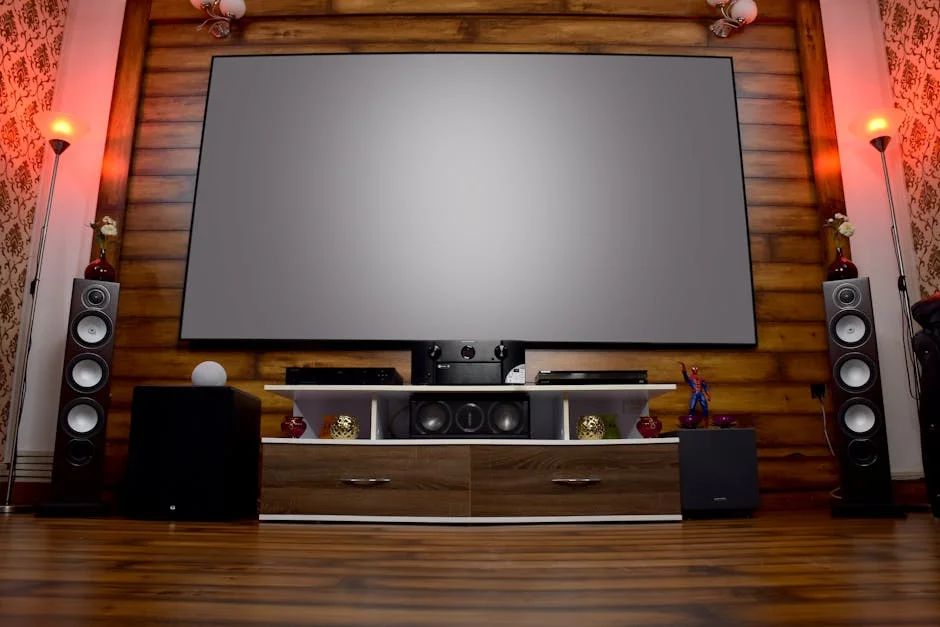
1080p vs 4K Projector: What Actually Matters for Your Room

Affiliate disclosure: Some links on this page are affiliate links. If you buy through them we earn a small commission at no extra cost to you. Recommendations are research-driven; we don't claim personal use of every product reviewed. Product prices and availability are accurate as of the date published and are subject to change. Always check Amazon for current pricing before purchasing. Learn more.
The question isn’t whether 4K looks better than 1080p — it does, given the right conditions. The real question is whether those conditions exist in your room, at your seating distance, with your budget. That gap between lab specs and living-room reality is where most buying decisions go wrong. These four mid-range portable projectors sit in a category that markets itself aggressively on resolution claims, and parsing what’s native versus supported versus upscaled matters before you spend anything. For context on how these stack up against the broader projector landscape, that hub is worth a read first.
The four units here — the Kogata portable, the VisualCube 300, the GooDee, and the unnamed 220°-rotatable mini — all target the same buyer: someone who wants flexible placement, wireless connectivity, and image quality above what a phone or laptop screen delivers. None of them are in the same tier as the Epson 4010 that anchors the dedicated home theater end of this category. That’s fine. They’re solving a different problem.
Side-by-Side
Before the individual breakdowns, it’s worth establishing the structural differences between these four units. All four claim “4K support” in their product names, which requires translation: in this price band, 4K support means the projector can accept a 4K signal and downscale it for display. Native 4K DLP or LCD panels at this price point don’t exist. What varies is native resolution (typically 1080p or lower), lumen output, light source type, and the quality of the upscaling pipeline.
Light source matters more than most buyers expect. Lamp-based projectors in this category typically run 20,000, 30,000 hours before significant lumen degradation — laser and LED sources push that further and maintain brightness more consistently across the lifespan. The marketing lumen figures (ANSI or otherwise) should be read with skepticism; real-room output is consistently lower, particularly against any ambient light.
Connectivity is where these units differentiate from older portable projectors. WiFi 6, Bluetooth 5.4, Android TV or Android OS, and licensed app ecosystems mean fewer external devices required. Whether the implementation is reliable is a separate question — owner reviews are the most useful signal here, and AVS Forum threads on budget portables consistently flag that WiFi stability and app performance vary significantly unit to unit.
Key Differences
Native Resolution vs. Supported Resolution
Every product in this comparison markets “4K support.” The distinction that determines actual image quality is native resolution — what the projector’s imaging chip physically renders. A 1080p native projector receiving a 4K signal downscales to 1920×1080 for display. The result is a sharp 1080p image, not a 4K image. Pixel-shifted 4K (used in higher-tier DLP projectors) creates a pseudo-4K presentation through rapid offset rendering; that technology doesn’t appear in this price band.
For screens under 120 inches at seating distances of 10, 14 feet, a well-executed 1080p image is difficult to distinguish from true 4K without careful side-by-side comparison. Verified buyer reports across this category consistently note that the perceived sharpness gap between 1080p and “4K support” units is smaller than spec-sheet comparison suggests. The bigger variable is lumen output and contrast ratio, which affect how the image reads under realistic room conditions.
Lumen Claims and Real-World Brightness
The Kogata lists 2000 ANSI lumens, which is a more credible measurement unit than raw lumens. ANSI lumens measure output across nine points of the image plane, producing a figure that correlates better with actual perceived brightness. Units that list only “lumens” without the ANSI qualifier are typically using a peak measurement that overstates usable brightness by a significant margin.
For dark-room use, 1500, 2000 ANSI lumens is adequate for screens up to 120 inches. For rooms with any ambient light, that figure needs to be higher, or the image degrades visibly. None of these four units are designed for bright-room projection — that’s a different product category.
Built-In App Ecosystem and Licensing
The Kogata specifically notes “Official Licensed Apps” in its product name, which matters. Licensed streaming apps (Netflix, Prime Video, Disney+) have DRM requirements that prevent installation on unlicensed Android devices. Budget projectors running generic Android often cannot run Netflix natively, requiring a sideloaded workaround that violates terms of service or an external streaming stick. The VisualCube 300 runs Android 14 with built-in apps, which suggests a similar licensed ecosystem — but buyer reports are the verification step here, not the product listing.
The GooDee explicitly mentions Netflix compatibility in its listing, which is a meaningful spec in this category. The 220°-rotatable unit’s app situation is less clearly specified, which is a flag worth investigating before purchase.
Portability and Placement Flexibility
The 220°-rotatable mini projector offers the widest physical flexibility of the four, with rotation range that allows ceiling projection without a dedicated mount. The Kogata markets to both indoor and ceiling use. Portability in this category means different things: battery-powered portability (for outdoor use without a power outlet) versus placement flexibility (can go anywhere there’s an outlet). Most buyers in this category want the latter; true battery-powered projection at adequate lumen output remains a compromise.
Who Should Buy Which
Smart Projector with WiFi and Bluetooth (Kogata)
The Smart Projector with WiFi and Bluetooth is the most spec-forward unit in this group. The 2000 ANSI lumen rating, Dolby audio processing with a 50W speaker system, HDR10+ support, and AI auto-focus represent a genuinely useful feature set for a portable unit. The licensed app ecosystem removes the Netflix workaround problem that plagues budget Android projectors.
Buyer reports note the auto-focus is reliable across sessions, which matters for a portable unit that gets moved frequently. A projector that requires manual focus each time it’s repositioned becomes a friction point quickly. The ceiling projection capability — combined with the quiet operation noted in the listing — makes this a reasonable bedroom or living-room unit.
This is the strongest recommendation for someone who wants a single unit that handles indoor living-room use, occasional outdoor use, and doesn’t require an external streaming device. Owner consensus across verified purchasers positions it as the most complete package in this group. Relative to the Epson 4010 tier, it’s a different category entirely — lighter, less precise optically, but dramatically more flexible in placement.
Check current price on Amazon.
Mini Projector 1080P 4K Support with WiFi 6 and Bluetooth 5.4 (VisualCube 300)
The Mini Projector 1080P 4K Support with WiFi 6 and Bluetooth 5.4 distinguishes itself on connectivity spec: WiFi 6 and Bluetooth 5.4 are current-generation standards, not the WiFi 5 or Bluetooth 5.0 that appear in older budget units. For streaming-heavy use, WiFi 6 means lower latency and better performance in congested network environments. Android 14 is also the current Android release, which means a longer software support window than units shipping older OS versions.
The auto-keystone function — geometric correction without manual adjustment — is worth noting. Portable projectors that require manual keystone adjustment every time placement changes add friction that accumulates across uses. Buyer reports on auto-keystone accuracy in this price band are mixed across the category; the VisualCube 300’s implementation needs to be evaluated against recent owner reviews before purchase.
The black colorway is a minor but real consideration for buyers who want the unit visible in a room without looking like consumer electronics from 2015. Form factor matters for portables that live on a shelf or coffee table between uses.
Check current price on Amazon.
GooDee Video Projector With Wifi And Bluetooth
The GooDee Video Projector With Wifi And Bluetooth addresses the two questions that trip up most first-time projector buyers explicitly: Netflix licensing and auto-focus. The listing’s direct Netflix mention, combined with Dolby Audio support, signals a more mature product iteration than a generic Android projector running sideloaded apps.
GooDee has been in the budget-to-mid projector category long enough to have an owner review history that extends beyond a single product cycle, which matters for reliability assessment. AVS Forum and owner forums have documented GooDee units across multiple generations — that history is more useful for predicting reliability than spec-sheet comparison.
The 4K decode with 1080p native spec is the honest representation of what this class of projector does: it accepts 4K content and renders it at 1080p. For most home-use scenarios — streaming services at 10, 14 feet on a 100, 120 inch screen — that’s a practical and sufficient approach. The image quality ceiling is the 1080p panel, not the content resolution.
Check current price on Amazon.
Projector with WiFi and Bluetooth (220° Rotatable)
The Projector with WiFi and Bluetooth makes a specific placement argument: 220° rotation allows configurations the other three units can’t match. Ceiling projection pointed straight up, angled side-wall projection, unconventional room layouts — the physical flexibility is real. For a buyer who wants to project in multiple rooms or in spaces where a standard front-throw configuration doesn’t work, the rotation range is a meaningful differentiator.
The 130-inch maximum screen size claim and auto-keystone support position this as the most flexible portable of the four. Owner reports on how well the auto-keystone handles the unusual angles enabled by 220° rotation should be the verification step — keystone correction at steep vertical angles introduces geometric distortion that not all auto-correction algorithms handle cleanly.
The spec on native resolution and lumen output for this unit requires careful reading from the current listing before purchase. Buyer reports on real-room brightness at the claimed screen sizes will be a better guide than the listed figures.
Check current price on Amazon.
Buying Guide
Understanding Native Resolution vs. 4K Support
The phrase “4K support” in a portable projector listing means the unit accepts 4K HDMI or streaming input. It does not mean the imaging chip resolves 4K. In this price band, native panels are 1080p. The projector receives the 4K signal, downscales it to 1080p, and displays that. The result is a sharp 1080p image — better than a 720p-native projector receiving the same signal, but not 4K.
This matters because the resolution gap between 1080p and true 4K is perceptible primarily at large screen sizes and close seating distances. At 100 inches and 12 feet of seating distance, most viewers cannot reliably identify the difference in a blind test. If your room and screen size fall into that range, the native resolution of the projector matters less than lumen output, contrast ratio, and color accuracy.
For a broader orientation on how resolution claims translate to real-room performance at different screen sizes and throw distances, the projectors hub covers the spec landscape in more depth.
Lumen Output and Room Conditions
Portable projectors in this category are designed for controlled-light environments. Dark room, screen sizes under 120 inches, seating at 10, 14 feet — those conditions produce the image quality these units are capable of. Ambient light kills low-lumen projectors faster than any other single variable.
ANSI lumen ratings are more honest than raw lumen claims. A 2000 ANSI lumen projector will be meaningfully brighter in practice than a “5000 lumen” unit using a peak measurement. If a listing doesn’t specify ANSI, treat the lumen claim with appropriate skepticism and look for owner reports on brightness in real room conditions.
The Screen Question
The screen matters as much as the projector. An average projector on an excellent screen outperforms an excellent projector on a white wall or a basic pull-down screen. Most buyers in this category underinvest in the screen because it feels like an accessory. It is not. A gain-1.0 screen in a dark room, properly sized for the throw distance, will reveal more of what a mid-range projector is actually capable of than any spec upgrade within the projector itself.
Ambient-light-rejecting (ALR) screens are available at accessible prices and make a measurable difference in rooms that can’t achieve full light control. If the projector is going in a room with any light bleed, factor a quality screen into the total budget before buying.
App Ecosystem and Streaming Compatibility
The Netflix licensing issue is a real friction point for buyers who expect to stream directly from the projector without an external device. Licensed Android TV or certified streaming platforms solve this; generic Android does not. Before purchasing any projector in this category, verify current owner reports on which streaming apps run natively. Product listings can be accurate at launch and outdated six months later as licensing agreements change or OS updates alter compatibility.
If a projector doesn’t have native Netflix support, an external streaming stick (Roku, Fire TV, Apple TV) solves the problem but adds a device and a cable. Factor that into the placement and portability picture.
Throw Distance and Screen Size
Every projector has a throw ratio — the relationship between projection distance and image width. A unit with a throw ratio of 1.2:1 needs 1.2 feet of throw distance for every foot of image width. At 100 inches diagonal (approximately 87 inches wide), that’s roughly 8.7 feet of throw distance. For portable units moved between rooms or used outdoors, throw ratio determines whether the projector can actually produce the claimed screen size in a given space.
Most portable projectors in this category have standard throw ratios in the 1.0, 1.5:1 range. Verify the throw distance spec against your actual room before purchase — Projector Central’s throw distance calculator is the most reliable tool for this, and it covers projectors across the full range of the projector category.
Frequently Asked Questions
Is 4K support the same as native 4K on these portable projectors?
No. In this price band, “4K support” means the projector accepts 4K input signals but renders them at a lower native resolution — typically 1080p. The projector downscales the 4K signal to fit its imaging chip. The result is a high-quality 1080p image, not a true 4K image.
At what screen size does the difference between 1080p and 4K actually become visible?
The resolution gap becomes perceptible at screen sizes above 120 inches and seating distances under 10 feet. For most living-room and bedroom setups — 100 inches at 10, 14 feet — the difference in a blind test is difficult to identify. Lumen output and contrast ratio have a larger effect on perceived image quality at typical portable projector screen sizes than native resolution does.
Do these projectors run Netflix natively without an external streaming device?
It depends on the unit and current licensing status. The Kogata specifically advertises official licensed apps, and the GooDee listing mentions Netflix compatibility directly. The VisualCube 300 runs Android 14 with built-in apps, which suggests a licensed ecosystem. Verify against current owner reviews before purchase — app licensing can change after a product ships, and this is the area where portable projector listings most frequently go out of date.
Does the Kogata vs. VisualCube 300 choice come down to audio or connectivity?
Those are the two clearest differentiators. The Smart Projector with WiFi and Bluetooth has a 50W Dolby speaker system, which is meaningfully more audio output than most portable projectors offer. The Mini Projector 1080P 4K Support with WiFi 6 and Bluetooth 5.4 has WiFi 6 and Bluetooth 5.4 — current-generation wireless standards that matter for streaming performance in congested network environments. Buyers who prioritize built-in sound choose the Kogata; buyers who prioritize wireless reliability and current-gen OS choose the VisualCube 300.
Should the screen be factored into the total budget for a portable projector setup?
Yes, and it should be factored in before buying the projector. A quality screen — even a fixed-frame 100-inch gain-1.0 panel — makes a measurable difference in image quality compared to a white wall or a basic pull-down screen. Most buyers get this decision sequence backwards and underinvest in the screen. If full light control isn’t possible in the room, an ALR screen is worth the additional spend and will outperform a wall projection regardless of projector quality.
Where to Buy
Smart Projector with WiFi and Bluetooth, Proyector-4K Support Official Licensed Apps, 2000 ANSI/AI Auto Focus/50W Dolby/HDR10+/Quiet, Kogata Portable Indoor/Outdoor Movie Projector CeilingSee Smart Projector with WiFi and Bluetoo… on Amazon