Best Soundbar Under $500: Top Picks Reviewed

Affiliate disclosure: Some links on this page are affiliate links. If you buy through them we earn a small commission at no extra cost to you. Recommendations are research-driven; we don't claim personal use of every product reviewed. Product prices and availability are accurate as of the date published and are subject to change. Always check Amazon for current pricing before purchasing. Learn more.

Quick Picks
Bose TV Speaker - Soundbar for TV with Bluetooth and HDMI-ARC Connectivity, All-in-One Compact Soundbar, Includes Remote Control, Black
Buy on AmazonSony S100F 2.0ch Soundbar with Bass Reflex Speaker, Integrated Tweeter and Bluetooth, (HTS100F), easy setup, compact, home office use with clear sound black
Buy on AmazonULTIMEA 5.1CH Surround Sound Bar with Subwoofer, Dolby Atmos, VoiceMX, BassMX, APP, 300W Soundbar for Smart TV, Home Theater Surround Sound System for TV, Bluetooth 5.4, Poseidon M60 (2026 Model)
Buy on Amazon| Product | Price Range | Top Strength | Key Weakness | Buy |
|---|---|---|---|---|
| Bose TV Speaker - Soundbar for TV with Bluetooth and HDMI-ARC Connectivity, All-in-One Compact Soundbar, Includes Remote Control, Black best overall | $$ | Buy on Amazon | ||
| Sony S100F 2.0ch Soundbar with Bass Reflex Speaker, Integrated Tweeter and Bluetooth, (HTS100F), easy setup, compact, home office use with clear sound black also consider | $$ | Buy on Amazon | ||
| ULTIMEA 5.1CH Surround Sound Bar with Subwoofer, Dolby Atmos, VoiceMX, BassMX, APP, 300W Soundbar for Smart TV, Home Theater Surround Sound System for TV, Bluetooth 5.4, Poseidon M60 (2026 Model) also consider | $ | Buy on Amazon | ||
| Polk Audio Signa S2 Sound Bar for Smart TV with Subwoofer, Wireless – Exclusive VoiceAdjust Technology, Ultra-Slim Design, Works with 4K & HD TVs, HDMI & Optical, Bluetooth, Wireless Streaming also consider | $$ | Buy on Amazon | ||
| JBL Bar 500: 5.1-Channel soundbar with MultiBeam™ and Dolby Atmos® (Renewed) also consider | $$ | Buy on Amazon |
Picking the right soundbar means understanding what you’re actually trading away from a discrete speaker setup — and what you’re gaining in simplicity, space, and clean cable management. For anyone living in a rental, a shared space, or a room where a full receiver-and-speaker chain isn’t practical, a soundbar is the honest answer. The soundbars hub covers the full category; this guide focuses specifically on the best options at the mid-range and budget price bands, where most buyers land.
The gap between a poor soundbar and a solid one shows up immediately in dialogue clarity and low-frequency extension. Channel count, whether Dolby Atmos decoding is on board, and whether a subwoofer is included or sold separately — these three factors drive most of the real-world performance differences in this segment.
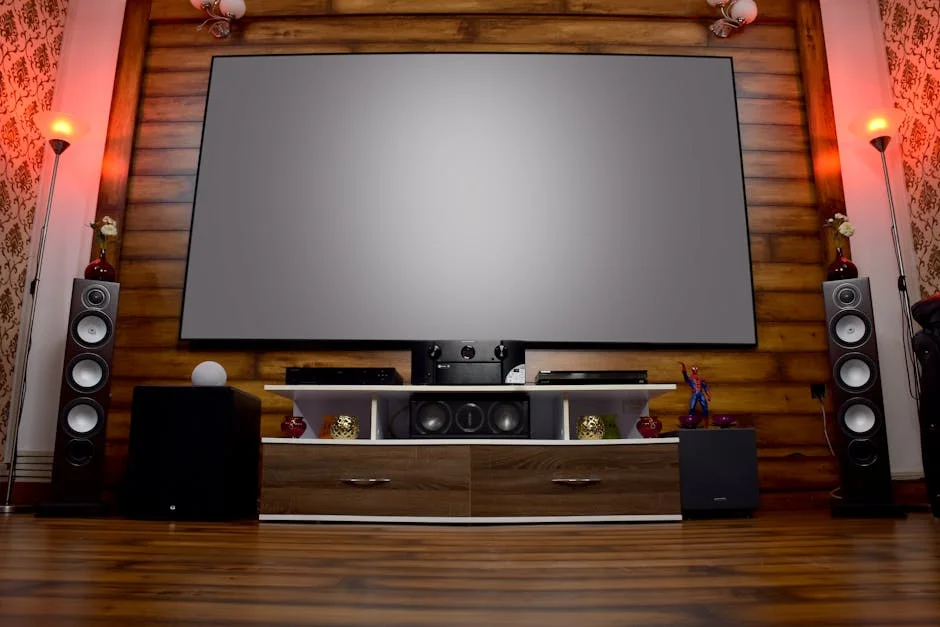
What to Look For in a Soundbar Under
Channel Configuration and What It Actually Means
A 2.0 soundbar is a single bar with no subwoofer. A 2.1 adds a wired or wireless sub. Step up to 3.1 and you get a dedicated center channel, which is the single biggest driver of dialogue intelligibility. A 5.1 system adds two surround channels, though in a soundbar context those are almost always virtualized rather than physically discrete.
The channel count on the box describes the maximum output topology, not necessarily the listening experience. A well-tuned 2.1 with a capable center channel often outperforms a 5.1 soundbar with poor DSP processing. Prioritize center channel quality and subwoofer integration over raw channel count when your use case is dialogue-heavy content — TV dramas, news, sports.
For home theater use where immersive audio matters, 3.1 is the practical floor. Anything below that is a TV-audio upgrade, not a home theater move.
Dolby Atmos and DTS:X Decoding
Atmos decoding in a soundbar is worth distinguishing from Atmos virtualization. True decoding means the bar can read an Atmos bitstream from your source and apply object-based processing. Virtualization means the bar uses DSP to simulate height cues from a standard stereo or 5.1 signal — useful, but a different thing.
At this price band, most bars claiming Atmos are virtualizing rather than upfiring-speaker-based. That’s fine for casual viewing. For readers who are building toward a more serious setup, the best Atmos soundbar guide covers dedicated Atmos bars with actual upfiring drivers in more depth.
Know what you’re buying. A bar that “supports Dolby Atmos” via pass-through is not the same as one that decodes and processes the format.
Connectivity: HDMI ARC vs. Optical vs. Bluetooth
HDMI ARC is the standard now. It carries better audio formats than optical, supports CEC commands so your TV remote can control the bar’s volume, and requires only one cable. eARC (Enhanced ARC) adds lossless Atmos and DTS:X passthrough — relevant if your source is a 4K Blu-ray player or a Shield Pro sending uncompressed audio.
Optical still works and is perfectly adequate for compressed Dolby Digital. If your TV is older and lacks ARC, optical is the fallback. Bluetooth is convenient for music streaming but introduces latency — use it for music, not for synced video.
Before purchasing, verify your TV’s HDMI ARC port version. eARC requires a compatible TV port and an eARC-capable soundbar to deliver the full benefit.
Subwoofer: Included, Wireless, or None
A soundbar without a subwoofer will always struggle at the low end. Bass reflex ports help, but they’re a workaround, not a replacement. If your room is larger than roughly 150 square feet, a bar-only solution will feel thin on movies with any real LFE content.
Wireless subwoofers that ship bundled with a soundbar are convenient, but verify the wireless frequency and potential interference in your space before assuming it’ll just work. Bars at the mid-range price band that include a wireless sub represent strong overall value — you’re buying a complete system rather than planning a separate subwoofer add-on later.
Exploring the full range of soundbar options across different configurations before committing to a channel count is worth the time — what feels adequate in a store demo often falls short in your actual room.
Room Size and Placement
Soundbar output is rated in watts, but watt ratings across manufacturers are not comparable. A more reliable signal is the rated frequency response floor — a bar that reaches 50 Hz with a sub is meaningfully different from one that rolls off at 80 Hz.
Wall mounting creates reflection patterns that a floor-standing or cabinet-top placement doesn’t. If you plan to mount, confirm the bar’s dispersion pattern — a narrow-dispersion bar on a wall in a wide room produces a narrow sweet spot. Wider dispersion (or HDMI ARC with room correction) is preferable in open-plan spaces.
Top Picks
Bose TV Speaker Soundbar
The Bose TV Speaker is a 2.0 bar — no subwoofer, no Atmos decoding. That’s the honest summary, and for a significant portion of buyers it’s exactly the right answer. Owner feedback across verified purchase reviews consistently points to two strengths: dialogue clarity that outperforms comparably priced competition, and a tuning profile that doesn’t fatigue over long TV sessions.
Connectivity is HDMI ARC and optical — no eARC, no HDMI passthrough. Bluetooth is on board for music streaming. The included remote handles basic volume and input switching without requiring you to navigate the TV menu. For apartment situations where a subwoofer isn’t practical — thin walls, lease terms, shared floors — the Bose TV Speaker is the most defensible choice in the 2.0 category.
The absence of a sub is a real limitation for movies with significant LFE content. Owner consensus is clear: this bar excels at TV dialogue and music, and asks you to accept the trade-off on cinematic bass. For that use case, the case for this bar is strong.
Check current price on Amazon.
Sony S100F 2.0ch Soundbar
The Sony S100F is a compact 2.0 bar with a bass reflex port and an integrated tweeter — no subwoofer, no Atmos, Bluetooth only (no HDMI ARC or optical on this model). The connectivity limitation is the most important thing to know before purchasing: if your primary audio path is HDMI ARC, this bar doesn’t support it.
Bluetooth and an analog 3.5mm input are the two connection options. That profile makes it genuinely useful for desktop setups, a secondary bedroom TV, or a home office monitor — contexts where HDMI ARC isn’t the connection method anyway. Verified buyers in those use cases consistently report that the Sony S100F outperforms built-in TV speakers by a meaningful margin at modest volume levels.
For a living room primary setup, the connectivity gap is a real constraint. For the specific use cases it targets, the Sony S100F is a solid, compact option that doesn’t overpromise.
Check current price on Amazon.
ULTIMEA Poseidon M60 5.1ch Soundbar
The ULTIMEA Poseidon M60 is a 5.1-channel system with a wireless subwoofer, Dolby Atmos decoding via app-controlled DSP, a VoiceMX dialogue enhancement mode, and 300W total system power. It ships with a companion app (BassMX, VoiceMX controls), HDMI ARC, optical, and Bluetooth 5.4.
The 5.1-channel designation here uses virtual surround processing rather than physically discrete rear satellite speakers — an important distinction. Field reports from verified buyers note that the VoiceMX mode delivers a genuine improvement in dialogue clarity at moderate listening levels, and the included sub provides satisfying bass extension for a system in this range. The app-based EQ control adds flexibility that most competing bars in this price band don’t offer.
ULTIMEA is a newer brand in this segment. AVS Forum community threads note that firmware update history and long-term support are shorter track records than Bose, Sony, Polk, or JBL. Owner consensus is generally positive for the feature-to-price ratio, with the caveat that build quality and long-term reliability data are still accumulating. For buyers who want a complete 5.1-feel system at a budget price, the field evidence points to this as a strong contender.
Check current price on Amazon.
Polk Audio Signa S2
The Polk Audio Signa S2 is a 2.1 system with a wireless subwoofer, VoiceAdjust technology for dialogue enhancement, HDMI ARC, optical, and Bluetooth. No Atmos decoding. The wireless sub separates Polk’s offering from the 2.0-only bars above, and that separation matters for rooms where bass extension is a priority.
VoiceAdjust is Polk’s proprietary processing for center-channel dialogue clarity. Owner feedback across a large verified-purchase sample consistently rates it as one of the better dialogue-enhancement implementations in this price band — meaningful if your household includes members who find modern film mixes difficult to follow. The bar’s ultra-slim profile (under 2.5 inches tall) makes it practical for TV placements where a taller bar would obstruct the bottom of the screen.
The sub-to-satellite integration is well-regarded in owner reports, with crossover handling that avoids the audible gap that plagues less well-tuned 2.1 systems. For buyers who want a wireless sub included and prioritize dialogue clarity, the Signa S2 is a well-established choice with a long owner consensus trail behind it.
Check current price on Amazon.
JBL Bar 500 5.1-Channel (Renewed)
It’s a 5.1-channel bar with a wireless subwoofer, MultiBeam spatial processing, Dolby Atmos decoding, HDMI eARC, optical, and Bluetooth. The renewed designation means it’s a manufacturer-refurbished unit — JBL renewed products carry a manufacturer warranty, and the price band places it within reach where a new unit would sit above the target range.
MultiBeam uses phased array processing to widen the soundstage and improve surround envelopment without physical rear satellites. AVS Forum owner reports and community consensus on the Bar 500 are consistently strong: the MultiBeam implementation is effective in rooms up to roughly 300 square feet, and the Atmos object-based processing is the real thing, not just a virtualized upmix label. eARC compatibility means it will deliver lossless audio from a capable source chain — a Shield Pro or UBP-X800M2 sending uncompressed TrueHD or DTS-HD MA will feed the bar correctly.
The renewed unit caveat is worth weighing: cosmetic wear is possible, and lead times for renewed inventory can vary. Readers who want to go further up the Atmos soundbar stack from here should check the best Atmos soundbar guide for discrete upfiring-driver options.
Check current price on Amazon.
Buying Guide

Matching the Bar to the Room
Room size is the first decision filter. A 2.0 or 2.1 bar is suitable for rooms up to roughly 150 square feet — a bedroom, a home office, a kitchen. Beyond that, a subwoofer becomes less optional. A 5.1-channel system with a wireless sub is a better starting point for a living room or dedicated media room.
Ceiling height and wall material affect perceived bass more than most buyers expect. Hard parallel surfaces (bare drywall, tile floors) will make the same soundbar sound boomy in one room and thin in another. There’s no DSP correction in this price band that fully compensates for room acoustics.
Understanding What “5.1” Means on a Soundbar Box
A 5.1 label on a soundbar is not the same as a 5.1 discrete speaker system — the one described in the soundbar category overview and across most home theater reference builds. In a soundbar, 5.1 typically means the bar processes a 5.1 signal and virtualizes the surround channels through DSP. The subwoofer provides the .1 LFE channel, and that part is real. The surround envelopment is processing, not physical speaker placement.
That distinction isn’t a knock on soundbars — it’s useful information for setting expectations. For casual TV viewing and movie nights in a shared household space, virtual 5.1 from a good soundbar is genuinely enjoyable. For a dedicated home theater room where spatial accuracy matters, discrete rear satellites or a full 5.1 speaker system will outperform any soundbar in this price band.
The Renewed / Refurbished Question
Manufacturer-renewed products from JBL, Sony, Bose, and Polk typically carry a 90-day to one-year warranty depending on the seller. The cosmetic and functional differences from new vary by unit — renewed is not a guarantee of showroom condition.
The practical risk is lower for soundbars than for, say, a used AV receiver with complex calibration history. A soundbar either powers on and outputs audio correctly, or it doesn’t.
Connectivity Priority Order
HDMI eARC is the best connection when available on both the TV and the bar — it carries lossless Atmos and DTS:X and supports CEC volume control. HDMI ARC is the next best, adequate for Dolby Digital Plus and lossy Atmos. Optical is the fallback — it carries compressed Dolby Digital 5.1, which is fine for most broadcast and streaming content but won’t pass Atmos or DTS:X. Bluetooth is for music only.
A bar with HDMI ARC connected to a non-ARC HDMI port will not function as intended.
Dialogue Clarity as a Buying Criterion
Dialogue intelligibility is the most common pain point cited in verified owner reviews across all price bands. Modern film and TV mixes are increasingly dynamic — loud action sequences alongside quieter dialogue passages. A soundbar with dedicated dialogue enhancement (VoiceAdjust on the Polk, VoiceMX on the ULTIMEA) addresses this more reliably than simply raising the volume.
Center channel quality is the primary driver here. In a soundbar context, that means the DSP allocation and tuning for the center channel frequency range — typically 200 Hz to 4 kHz, where most speech intelligibility lives. Bars that describe a dedicated center driver or center-channel DSP mode consistently outperform bars that spread the dialogue across the full array in owner reports.

Frequently Asked Questions
Do any of these soundbars work without HDMI ARC?
The Sony S100F is Bluetooth and analog input only — no HDMI ARC at all — making it the right answer for TVs or monitors without ARC ports. The Bose TV Speaker supports both HDMI ARC and optical, so it works with older TVs via optical. The Polk Signa S2 and JBL Bar 500 also include optical as a secondary input alongside their HDMI ARC connections.
What is the difference between the Polk Signa S2 and the ULTIMEA Poseidon M60?
The Polk Signa S2 is a 2.1 system with a wireless sub and no Atmos decoding — a mature product with a long verified-purchase track record and strong dialogue-enhancement implementation. The ULTIMEA Poseidon M60 is a 5.1-channel system with Atmos DSP processing and a companion app, at a budget price band, from a newer brand with a shorter reliability track record. The Polk is the lower-risk choice; the ULTIMEA offers more features per dollar with more uncertainty.
Is the JBL Bar 500 renewed unit worth the risk?
Manufacturer-renewed JBL units carry a warranty and pass functional testing before resale. For a soundbar — where the failure modes are straightforward — the risk is lower than with complex electronics. Buyers who want those capabilities and are comfortable with a renewed purchase will find it a well-supported option.
Should I choose a 2.1 soundbar or a 5.1 soundbar for a living room TV?
For most living rooms, a 2.1 system like the Polk Audio Signa S2 delivers a more cohesive sound than a budget 5.1 bar with virtual surround. A well-integrated wireless sub in a 2.1 system provides real bass extension that matters more than virtualized rear surround channels for typical TV content. The exception is buyers who watch a lot of action films and want the immersive audio processing — in that case, the JBL Bar 500 or ULTIMEA Poseidon M60 is the stronger answer.
Can a soundbar replace a full surround sound system for a dedicated home theater?
A soundbar is a strong TV audio upgrade but is not a replacement for a discrete 5.1 or 7.1 system in a dedicated room. Physical speaker placement, separate amplification, and room calibration tools like Audyssey or REW measurement deliver spatial accuracy and dynamic range that no soundbar in this price band can match. For a dedicated theater room, a receiver-and-speaker setup is the better long-term investment — the best soundbar under 300 guide covers budget-focused options for secondary rooms where a full system isn’t practical.

Where to Buy
Bose TV Speaker - Soundbar for TV with Bluetooth and HDMI-ARC Connectivity, All-in-One Compact Soundbar, Includes Remote Control, BlackSee Bose TV Speaker - Soundbar for TV wit… on Amazon